Deep links behave differently on iOS and Android. Universal Links and App Links have different implementation requirements, different failure modes, and different user experiences. Device analytics reveal these differences so you can fix platform-specific issues and optimize for each device type.
This guide covers device-level analytics for deep links. For geographic analytics, see geographic analytics for deep link campaigns. For targeting smart banners by device, see targeting smart banners by device, OS, and browser.
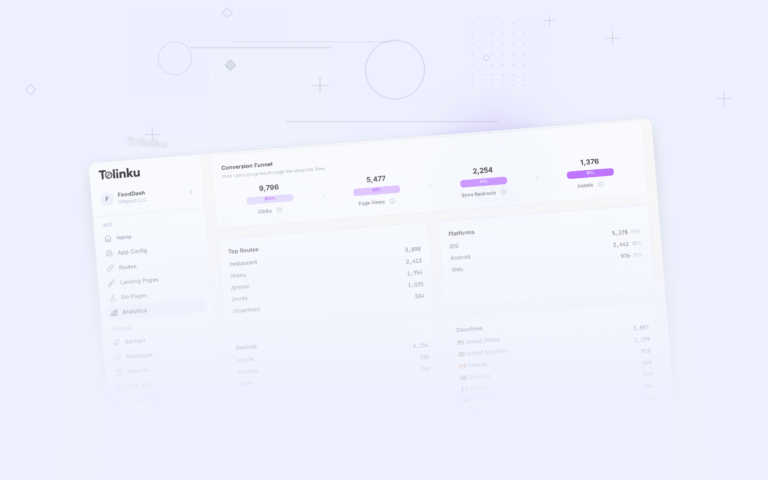
 The analytics breakdown grid with top routes, platforms, devices, and countries.
Key Device Dimensions
Platform (OS)
| Platform | Deep Link Technology | Common Issues |
|---|---|---|
| iOS | Universal Links | AASA file caching, in-app browser bypass, long-press menu |
| Android | App Links | Intent filter conflicts, assetlinks.json verification, manufacturer customizations |
| Web (desktop) | Standard HTTP | Fallback page quality, app store redirect |
OS Version
Older OS versions may not support the latest deep linking features:
| Feature | iOS Minimum | Android Minimum |
|---|---|---|
| Universal Links | iOS 9+ | N/A |
| App Links | N/A | Android 6.0+ |
| App Clips | iOS 14+ | N/A |
| Instant Apps | N/A | Android 5.0+ |
| SKAdNetwork 4.0 | iOS 16.1+ | N/A |
Browser
The browser the user clicks the deep link from affects behavior:
| Browser | iOS Behavior | Android Behavior |
|---|---|---|
| Safari | Universal Links work natively | N/A |
| Chrome (iOS) | Universal Links work | App Links work natively |
| Gmail (iOS) | Opens in-app browser first | App Links work |
| In-app browser, Universal Links often blocked | In-app browser, App Links may work | |
| In-app browser, Universal Links blocked | In-app browser, App Links may work | |
| Twitter/X | In-app browser | In-app browser |
Device Type
| Type | Considerations |
|---|---|
| Phone | Primary target, standard deep link behavior |
| Tablet | Same as phone for most apps, but some apps are phone-only |
| Desktop | Fallback to website, no app open |
| Smart TV | Limited deep link support, QR code fallback |
| Wearable | App Clips (iOS), limited support |
Device Performance Metrics
Platform Comparison
SELECT
  platform,
  COUNT(*) AS clicks,
  ROUND(SUM(CASE WHEN outcome = 'app_opened' THEN 1 ELSE 0 END)::DECIMAL / COUNT(*) * 100, 1) AS open_rate,
  ROUND(SUM(CASE WHEN outcome = 'fallback' THEN 1 ELSE 0 END)::DECIMAL / COUNT(*) * 100, 1) AS fallback_rate,
  ROUND(SUM(CASE WHEN outcome = 'store_redirect' THEN 1 ELSE 0 END)::DECIMAL / COUNT(*) * 100, 1) AS store_rate,
  ROUND(AVG(latency_ms), 0) AS avg_latency_ms
FROM deep_link_clicks
WHERE timestamp >= NOW() - INTERVAL '30 days'
GROUP BY platform;
Example:
| Platform | Clicks | Open Rate | Fallback Rate | Store Rate | Avg Latency |
|---|---|---|---|---|---|
| iOS | 22,000 | 74% | 18% | 8% | 320ms |
| Android | 18,000 | 68% | 22% | 10% | 450ms |
| Desktop | 5,000 | 0% | 95% | 5% | 200ms |
Android's lower open rate (68% vs 74%) suggests App Links configuration issues or manufacturer-specific problems.
Browser Comparison
SELECT
  browser,
  platform,
  COUNT(*) AS clicks,
  ROUND(SUM(CASE WHEN outcome = 'app_opened' THEN 1 ELSE 0 END)::DECIMAL / COUNT(*) * 100, 1) AS open_rate
FROM deep_link_clicks
WHERE platform IN ('ios', 'android')
  AND timestamp >= NOW() - INTERVAL '30 days'
GROUP BY browser, platform
ORDER BY clicks DESC;
| Browser | Platform | Clicks | Open Rate |
|---|---|---|---|
| Safari | iOS | 10,000 | 82% |
| Chrome | iOS | 4,500 | 70% |
| Gmail | iOS | 3,200 | 45% |
| iOS | 2,800 | 25% | |
| Chrome | Android | 12,000 | 72% |
| Samsung Internet | Android | 3,500 | 65% |
| Gmail | Android | 1,800 | 55% |
| Android | 700 | 30% |
Instagram's in-app browser blocks Universal Links, causing a 25% open rate on iOS. This is a known limitation. Gmail's in-app browser also has reduced open rates (45% on iOS, 55% on Android).
OS Version Analysis
SELECT
  os_version,
  COUNT(*) AS clicks,
  ROUND(SUM(CASE WHEN outcome = 'app_opened' THEN 1 ELSE 0 END)::DECIMAL / COUNT(*) * 100, 1) AS open_rate
FROM deep_link_clicks
WHERE platform = 'ios'
  AND timestamp >= NOW() - INTERVAL '30 days'
GROUP BY os_version
ORDER BY os_version DESC;
Diagnosing Platform Issues
iOS-Specific Issues
| Symptom | Possible Cause | Diagnostic Query |
|---|---|---|
| Open rate dropped on all iOS | AASA file issue | Check if AASA returns 200 with correct content-type |
| Open rate low on iOS 17+ only | AASA format change | Verify AASA uses the modern format |
| Low open rate from Gmail/Instagram | In-app browser | Filter analytics by browser |
| Open rate 0% for specific route | Route not in AASA | Verify route pattern in AASA paths |
Android-Specific Issues
| Symptom | Possible Cause | Diagnostic Query |
|---|---|---|
| Open rate dropped on all Android | assetlinks.json issue | Verify at /.well-known/assetlinks.json |
| Low open rate on Samsung devices | Samsung Internet handling | Filter by browser = 'Samsung Internet' |
| Open rate varies by manufacturer | OEM-specific behavior | Group by device manufacturer |
| App opens but wrong screen | Intent filter misconfiguration | Check route matching logic |
Implementation
Extracting Device Info
function parseDeviceInfo(userAgent: string, headers: Record<string, string>): DeviceInfo {
  return {
    platform: detectPlatform(userAgent),
    osVersion: extractOSVersion(userAgent),
    browser: detectBrowser(userAgent),
    deviceType: detectDeviceType(userAgent),
    manufacturer: extractManufacturer(userAgent),
    model: extractModel(userAgent),
    isInAppBrowser: detectInAppBrowser(userAgent)
  };
}

function detectInAppBrowser(ua: string): boolean {
  const inAppPatterns = [
    'FBAN', 'FBAV',           // Facebook
    'Instagram',               // Instagram
    'Twitter',                 // Twitter/X
    'Line/',                   // LINE
    'LinkedInApp',             // LinkedIn
    'GSA/',                    // Google Search App
  ];
  return inAppPatterns.some(p => ua.includes(p));
}
Device-Specific Routing
function routeByDevice(click: ClickEvent): string {
  const device = click.deviceInfo;

  // In-app browser: redirect to a bounce page that triggers the Universal Link
  if (device.isInAppBrowser && device.platform === 'ios') {
    return `https://app.com/open?redirect=${encodeURIComponent(click.deepLink)}`;
  }

  // Old Android without App Links support
  if (device.platform === 'android' && parseFloat(device.osVersion) < 6.0) {
    return `intent://${click.route}#Intent;scheme=myapp;package=com.myapp;end`;
  }

  // Standard deep link
  return click.deepLink;
}
Optimization Strategies
By Platform
- iOS: Focus on AASA file correctness, handle in-app browser edge cases.
- Android: Test across top manufacturers (Samsung, Xiaomi, Huawei, Oppo), verify assetlinks.json.
By Browser
- In-app browsers: Use a bounce page strategy to break out of the in-app browser.
- Gmail: Consider disabling click tracking for deep links in email (tracked URLs break Universal Links).
By Device Type
- Desktop: Optimize the web fallback page. Include a QR code for mobile handoff.
- Tablet: Test your app's tablet layout since deep-linked users may arrive on an iPad or Android tablet.
Tolinku for Device Analytics
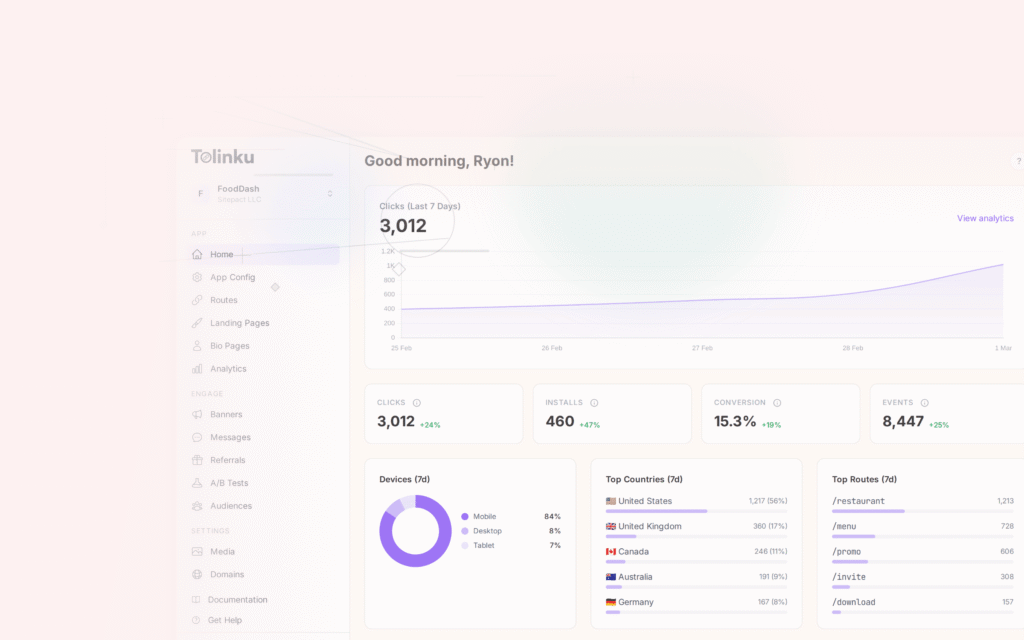
Tolinku's analytics include device-level breakdowns by platform, OS version, browser, and device type. Filter analytics by device in the Tolinku dashboard to identify platform-specific issues.
For geographic analytics, see geographic analytics for deep link campaigns. For deep link analytics, see deep link analytics: measuring what matters.
Get deep linking tips in your inbox
One email per week. No spam.