.NET MAUI (Multi-platform App UI) is the successor to Xamarin.Forms. It uses a single C# codebase for iOS, Android, macOS, and Windows, with platform-specific code isolated in the Platforms/ directory. Deep linking in MAUI follows the same native patterns (Universal Links on iOS, App Links on Android) but integrates with MAUI's Shell navigation and dependency injection.
For Xamarin.Forms (legacy), see Xamarin deep linking: cross-platform setup. For the cross-platform overview, see cross-platform deep linking guide for 2026.
iOS Configuration
1. Associated Domains Entitlement
Create or update Platforms/iOS/Entitlements.plist:
<?xml version="1.0" encoding="UTF-8"?>
<!DOCTYPE plist PUBLIC "-//Apple//DTD PLIST 1.0//EN"
  "http://www.apple.com/DTDs/PropertyList-1.0.dtd">
<plist version="1.0">
<dict>
    <key>com.apple.developer.associated-domains</key>
    <array>
        <string>applinks:yourdomain.com</string>
    </array>
</dict>
</plist>
Reference it in your .csproj:
<PropertyGroup Condition="$([MSBuild]::GetTargetPlatformIdentifier('$(TargetFramework)')) == 'ios'">
    <CodesignEntitlements>Platforms/iOS/Entitlements.plist</CodesignEntitlements>
</PropertyGroup>
2. AASA File
Host at https://yourdomain.com/.well-known/apple-app-site-association:
{
  "applinks": {
    "details": [{
      "appIDs": ["TEAMID.com.yourcompany.yourapp"],
      "components": [
        { "/": "/products/*" },
        { "/": "/offers/*" },
        { "/": "/referral/*" }
      ]
    }]
  }
}
Get your Team ID from Apple Developer account under Membership Details.
3. Handle Universal Links
In Platforms/iOS/AppDelegate.cs:
using Foundation;
using UIKit;

[Register("AppDelegate")]
public class AppDelegate : MauiUIApplicationDelegate
{
    protected override MauiApp CreateMauiApp() => MauiProgram.CreateMauiApp();

    [Export("application:continueUserActivity:restorationHandler:")]
    public bool ContinueUserActivity(
        UIApplication application,
        NSUserActivity userActivity,
        UIApplicationRestorationHandler completionHandler)
    {
        if (userActivity.ActivityType == NSUserActivityType.BrowsingWeb
            && userActivity.WebPageUrl != null)
        {
            var url = userActivity.WebPageUrl.ToString();
            DeepLinkService.Instance.HandleUrl(url);
            return true;
        }
        return false;
    }
}
Android Configuration
1. Intent Filters
In Platforms/Android/AndroidManifest.xml:
<activity
    android:name=".MainActivity"
    android:exported="true">

    <intent-filter android:autoVerify="true">
        <action android:name="android.intent.action.VIEW" />
        <category android:name="android.intent.category.DEFAULT" />
        <category android:name="android.intent.category.BROWSABLE" />
        <data android:scheme="https"
              android:host="yourdomain.com"
              android:pathPrefix="/products" />
        <data android:scheme="https"
              android:host="yourdomain.com"
              android:pathPrefix="/offers" />
        <data android:scheme="https"
              android:host="yourdomain.com"
              android:pathPrefix="/referral" />
    </intent-filter>
</activity>
Or use the IntentFilter attribute on MainActivity.cs:
using Android.App;
using Android.Content;
using Android.Content.PM;

[Activity(
    Theme = "@style/Maui.SplashTheme",
    MainLauncher = true,
    Exported = true,
    LaunchMode = LaunchMode.SingleTop)]
[IntentFilter(
    new[] { Intent.ActionView },
    Categories = new[] { Intent.CategoryDefault, Intent.CategoryBrowsable },
    DataScheme = "https",
    DataHost = "yourdomain.com",
    DataPathPrefix = "/products",
    AutoVerify = true)]
[IntentFilter(
    new[] { Intent.ActionView },
    Categories = new[] { Intent.CategoryDefault, Intent.CategoryBrowsable },
    DataScheme = "https",
    DataHost = "yourdomain.com",
    DataPathPrefix = "/offers",
    AutoVerify = true)]
[IntentFilter(
    new[] { Intent.ActionView },
    Categories = new[] { Intent.CategoryDefault, Intent.CategoryBrowsable },
    DataScheme = "https",
    DataHost = "yourdomain.com",
    DataPathPrefix = "/referral",
    AutoVerify = true)]
public class MainActivity : MauiAppCompatActivity
{
    protected override void OnCreate(Bundle savedInstanceState)
    {
        base.OnCreate(savedInstanceState);
        HandleIntent(Intent);
    }

    protected override void OnNewIntent(Intent intent)
    {
        base.OnNewIntent(intent);
        HandleIntent(intent);
    }

    private void HandleIntent(Intent intent)
    {
        if (intent?.Data != null)
        {
            DeepLinkService.Instance.HandleUrl(intent.Data.ToString());
        }
    }
}
2. assetlinks.json
Host at https://yourdomain.com/.well-known/assetlinks.json:
[
  {
    "relation": ["delegate_permission/common.handle_all_urls"],
    "target": {
      "namespace": "android_app",
      "package_name": "com.yourcompany.yourapp",
      "sha256_cert_fingerprints": [
        "YOUR_SIGNING_KEY_FINGERPRINT"
      ]
    }
  }
]
Shared Deep Link Service
Create a service that both platforms call with the incoming URL:
// Services/DeepLinkService.cs

public class DeepLinkService
{
    private static DeepLinkService _instance;
    public static DeepLinkService Instance => _instance ??= new DeepLinkService();

    private string _pendingUrl;
    private bool _isReady;

    public void HandleUrl(string urlString)
    {
        if (_isReady)
        {
            RouteUrl(urlString);
        }
        else
        {
            // App not fully initialized yet, queue the URL
            _pendingUrl = urlString;
        }
    }

    public void MarkReady()
    {
        _isReady = true;
        if (!string.IsNullOrEmpty(_pendingUrl))
        {
            RouteUrl(_pendingUrl);
            _pendingUrl = null;
        }
    }

    private void RouteUrl(string urlString)
    {
        if (!Uri.TryCreate(urlString, UriKind.Absolute, out var uri))
            return;

        var path = uri.AbsolutePath.TrimEnd('/');
        var query = System.Web.HttpUtility.ParseQueryString(uri.Query);

        MainThread.BeginInvokeOnMainThread(async () =>
        {
            await NavigateFromDeepLink(path, query);
        });
    }

    private async Task NavigateFromDeepLink(
        string path,
        System.Collections.Specialized.NameValueCollection query)
    {
        // Product page
        var productMatch = System.Text.RegularExpressions.Regex.Match(
            path, @"^/products/([^/]+)$");
        if (productMatch.Success)
        {
            var productId = productMatch.Groups[1].Value;
            await Shell.Current.GoToAsync(
                $"//products/detail?productId={productId}");
            return;
        }

        // Offer page
        var offerMatch = System.Text.RegularExpressions.Regex.Match(
            path, @"^/offers/([^/]+)$");
        if (offerMatch.Success)
        {
            var offerId = offerMatch.Groups[1].Value;
            await Shell.Current.GoToAsync(
                $"//offers/detail?offerId={offerId}");
            return;
        }

        // Referral
        var referralMatch = System.Text.RegularExpressions.Regex.Match(
            path, @"^/referral/([^/]+)$");
        if (referralMatch.Success)
        {
            var referrerId = referralMatch.Groups[1].Value;
            // Store referral, then navigate to home
            Preferences.Set("referrer_id", referrerId);
            await Shell.Current.GoToAsync("//home");
            return;
        }

        // Default
        await Shell.Current.GoToAsync("//home");
    }
}
Shell Navigation Setup
Register routes in AppShell.xaml.cs:
public partial class AppShell : Shell
{
    public AppShell()
    {
        InitializeComponent();

        // Register detail routes for deep linking
        Routing.RegisterRoute("products/detail", typeof(ProductDetailPage));
        Routing.RegisterRoute("offers/detail", typeof(OfferDetailPage));
        Routing.RegisterRoute("referral", typeof(ReferralPage));
    }
}
AppShell.xaml
<?xml version="1.0" encoding="UTF-8" ?>
<Shell xmlns="http://schemas.microsoft.com/dotnet/2021/maui"
       xmlns:x="http://schemas.microsoft.com/winfx/2009/xaml"
       xmlns:pages="clr-namespace:YourApp.Pages"
       x:Class="YourApp.AppShell">

    <TabBar>
        <ShellContent Title="Home"
                      Route="home"
                      ContentTemplate="{DataTemplate pages:HomePage}" />
        <ShellContent Title="Products"
                      Route="products"
                      ContentTemplate="{DataTemplate pages:ProductsPage}" />
        <ShellContent Title="Offers"
                      Route="offers"
                      ContentTemplate="{DataTemplate pages:OffersPage}" />
    </TabBar>
</Shell>
Query Parameter Handling
Use QueryProperty attributes to receive parameters on pages:
[QueryProperty(nameof(ProductId), "productId")]
public partial class ProductDetailPage : ContentPage
{
    private string _productId;
    public string ProductId
    {
        get => _productId;
        set
        {
            _productId = value;
            LoadProduct(value);
        }
    }

    private async void LoadProduct(string productId)
    {
        if (string.IsNullOrEmpty(productId)) return;

        try
        {
            var product = await ProductService.GetByIdAsync(productId);
            BindingContext = product;
        }
        catch (Exception ex)
        {
            await DisplayAlert("Error", "Could not load product", "OK");
            await Shell.Current.GoToAsync("..");
        }
    }
}
App Initialization
Signal readiness after the app is fully initialized:
// App.xaml.cs
public partial class App : Application
{
    public App()
    {
        InitializeComponent();
        MainPage = new AppShell();
    }

    protected override void OnStart()
    {
        base.OnStart();
        // Signal that the app is ready to handle deep links
        DeepLinkService.Instance.MarkReady();
    }
}
Dependency Injection Alternative
Instead of the singleton pattern, use MAUI's built-in DI:
// MauiProgram.cs
public static MauiApp CreateMauiApp()
{
    var builder = MauiApp.CreateBuilder();
    builder
        .UseMauiApp<App>()
        .ConfigureFonts(fonts =>
        {
            fonts.AddFont("OpenSans-Regular.ttf", "OpenSansRegular");
        });

    // Register deep link service
    builder.Services.AddSingleton<IDeepLinkService, DeepLinkService>();

    return builder.Build();
}
// Interface
public interface IDeepLinkService
{
    void HandleUrl(string url);
    void MarkReady();
}
Inject it where needed:
public partial class App : Application
{
    private readonly IDeepLinkService _deepLinkService;

    public App(IDeepLinkService deepLinkService)
    {
        InitializeComponent();
        _deepLinkService = deepLinkService;
        MainPage = new AppShell();
    }

    protected override void OnStart()
    {
        base.OnStart();
        _deepLinkService.MarkReady();
    }
}
Testing
iOS Simulator
xcrun simctl openurl booted "https://yourdomain.com/products/abc123"
Android Emulator
adb shell am start -a android.intent.action.VIEW \
  -d "https://yourdomain.com/products/abc123" \
  -c android.intent.category.BROWSABLE
Unit Testing the Router
[TestFixture]
public class DeepLinkServiceTests
{
    [Test]
    public void ParsesProductUrl()
    {
        var uri = new Uri("https://yourdomain.com/products/abc123");
        var path = uri.AbsolutePath;

        var match = Regex.Match(path, @"^/products/([^/]+)$");

        Assert.IsTrue(match.Success);
        Assert.AreEqual("abc123", match.Groups[1].Value);
    }

    [Test]
    public void ParsesQueryParameters()
    {
        var uri = new Uri("https://yourdomain.com/products/abc123?ref=email&campaign=summer");
        var query = System.Web.HttpUtility.ParseQueryString(uri.Query);

        Assert.AreEqual("email", query["ref"]);
        Assert.AreEqual("summer", query["campaign"]);
    }

    [Test]
    public void HandlesTrailingSlash()
    {
        var uri = new Uri("https://yourdomain.com/products/abc123/");
        var path = uri.AbsolutePath.TrimEnd('/');

        var match = Regex.Match(path, @"^/products/([^/]+)$");

        Assert.IsTrue(match.Success);
        Assert.AreEqual("abc123", match.Groups[1].Value);
    }
}
Tolinku for .NET MAUI Apps
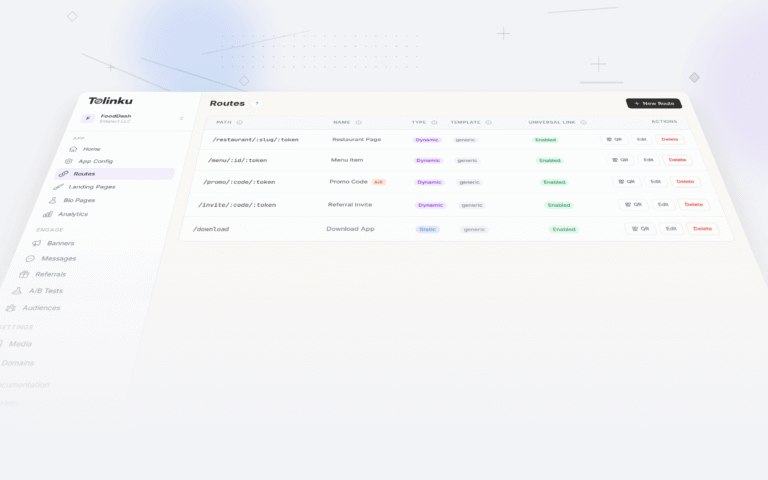
Tolinku hosts AASA and assetlinks.json verification files. Configure your iOS Team ID, bundle identifier, Android package name, and SHA-256 fingerprints in the Appspace settings, and Tolinku generates both files automatically. See the iOS configuration guide and Android configuration guide for setup details.
For the legacy Xamarin approach, see Xamarin deep linking: cross-platform setup. For building from scratch, see how to implement deep links from scratch.
Get deep linking tips in your inbox
One email per week. No spam.