A webhook endpoint that receives every event type processes a lot of noise. If you only care about install attribution, you don't need thousands of link.clicked events clogging your receiver. If your Slack integration only notifies on referral completions, it shouldn't be parsing click payloads just to discard them.
Filtering reduces load, simplifies handler logic, and keeps your integrations focused. This guide covers filtering strategies for Tolinku webhooks at every layer: source-level event selection, receiver-side routing, and content-based filtering. For the webhook setup, see the webhook setup guide. For payload details, see the webhook event types guide.
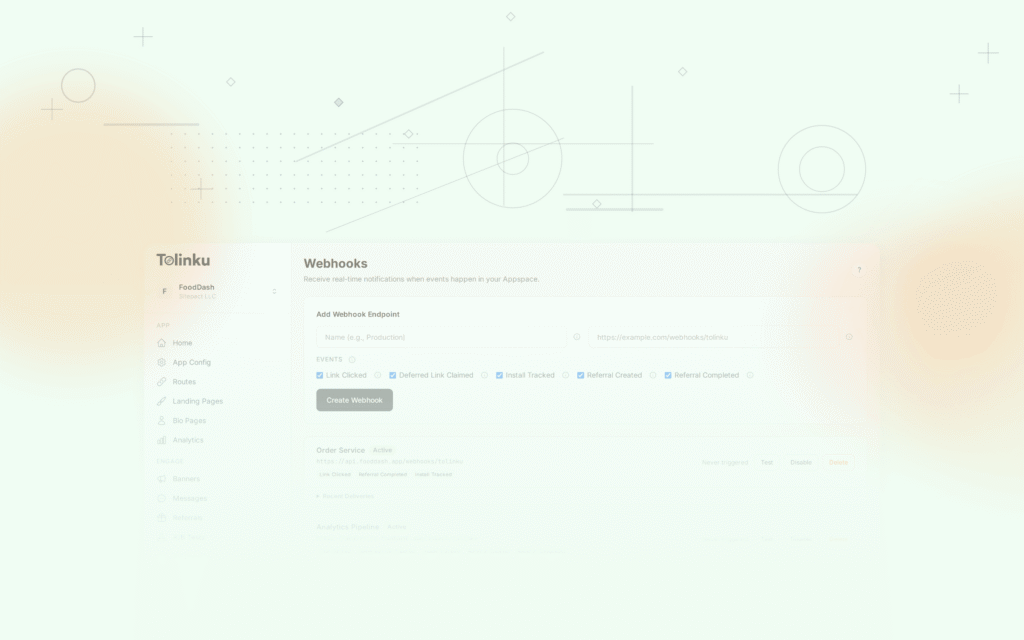
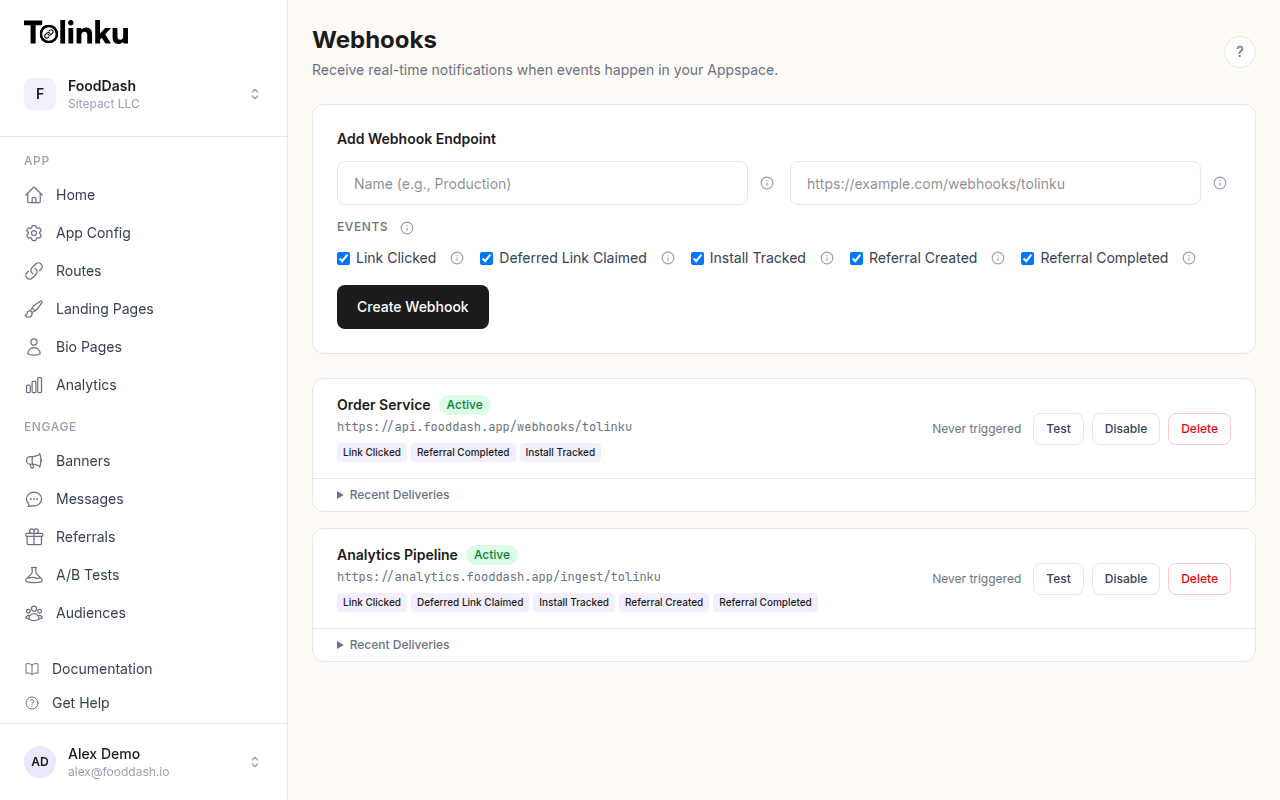 The webhooks page with create form, webhook list, and delivery log.
Layer 1: Filter at the Source
The most efficient filter is the one that prevents events from being sent in the first place. When you configure a webhook in your Tolinku Appspace, you select which event types to subscribe to.
The available event types are:
link.clickeddeferred_link.claimedinstall.trackedreferral.createdreferral.completed
If your webhook endpoint only handles referral workflows, subscribe to referral.created and referral.completed. Tolinku won't send the other event types to that endpoint.
Multiple Webhooks for Different Purposes
Instead of one webhook that receives everything and filters in your code, create separate webhooks for each integration:
| Webhook Name | Events | Endpoint |
|---|---|---|
| Analytics Pipeline | All events | https://api.example.com/webhooks/analytics |
| Slack Notifications | install.tracked, referral.completed |
https://api.example.com/webhooks/slack |
| CRM Updates | referral.created, referral.completed |
https://api.example.com/webhooks/crm |
| Email Triggers | install.tracked, referral.completed |
https://api.example.com/webhooks/email |
Each endpoint receives only the events it needs. No wasted bandwidth, no wasted processing.
Tolinku supports up to 50 webhooks per Appspace on paid plans (1 on the free plan), so you have room for purpose-specific endpoints.
Layer 2: Filter in the Receiver
Even with source-level filtering, you may want finer-grained control. The X-Webhook-Event header lets you route events before parsing the body.
Header-Based Routing
app.post('/webhooks/tolinku', (req, res) => {
  // Verify signature...
  res.status(200).send('OK');

  const eventType = req.headers['x-webhook-event'] as string;

  switch (eventType) {
    case 'install.tracked':
      handleInstall(req.body);
      break;
    case 'referral.completed':
      handleReferralCompletion(req.body);
      break;
    default:
      // Ignore other event types
      break;
  }
});
This is faster than parsing the JSON body and checking event.event, though the difference is negligible at low volumes.
Allow-List Pattern
Define the events your receiver handles and reject (silently) anything else:
const HANDLED_EVENTS = new Set([
  'install.tracked',
  'referral.created',
  'referral.completed',
]);

app.post('/webhooks/tolinku', (req, res) => {
  // Verify signature...
  res.status(200).send('OK');

  const eventType = req.headers['x-webhook-event'] as string;
  if (!HANDLED_EVENTS.has(eventType)) return;

  const event = JSON.parse(req.body.toString());
  processEvent(event);
});
Always respond 200 even for filtered events. A non-200 response triggers retries, wasting resources on both sides.
Layer 3: Content-Based Filtering
Sometimes you need to filter on the event's data, not just its type. Parse the body and check specific fields.
Filter by Platform
async function processEvent(event: any) {
  // Only process iOS events
  if (event.data.platform !== 'ios') return;

  await handleIOSEvent(event);
}
Filter by Campaign
const MONITORED_CAMPAIGNS = new Set([
  'paid-social-q2',
  'email-newsletter-may',
  'influencer-summer',
]);

async function processEvent(event: any) {
  if (!MONITORED_CAMPAIGNS.has(event.data.campaign)) return;

  await handleMonitoredCampaign(event);
}
Filter by Time Window
Process only events from the last hour (useful when catching up after a receiver restart):
async function processEvent(event: any) {
  const eventAge = Date.now() - new Date(event.timestamp).getTime();
  const ONE_HOUR = 60 * 60 * 1000;

  if (eventAge > ONE_HOUR) {
    console.log(`Skipping stale event from ${event.timestamp}`);
    return;
  }

  await handleEvent(event);
}
Layer 4: Router Pattern
For complex integrations with multiple consumers, build an event router that evaluates rules and dispatches to handlers.
interface FilterRule {
  name: string;
  condition: (event: any) => boolean;
  handler: (event: any) => Promise<void>;
}

const rules: FilterRule[] = [
  {
    name: 'slack-installs',
    condition: (e) => e.event === 'install.tracked',
    handler: notifySlack,
  },
  {
    name: 'crm-referrals',
    condition: (e) =>
      e.event === 'referral.completed' && e.data.platform !== 'web',
    handler: updateCRM,
  },
  {
    name: 'analytics-all',
    condition: () => true,
    handler: sendToAnalytics,
  },
  {
    name: 'fraud-check',
    condition: (e) =>
      e.event === 'referral.created' || e.event === 'link.clicked',
    handler: checkForFraud,
  },
];

async function routeEvent(event: any) {
  const matching = rules.filter(rule => rule.condition(event));

  await Promise.allSettled(
    matching.map(rule =>
      rule.handler(event).catch(err =>
        console.error(`Handler ${rule.name} failed:`, err.message)
      )
    )
  );
}
Each rule is independent. Adding a new integration means adding a rule, not modifying existing code. Promise.allSettled ensures one handler's failure doesn't block the others.
Filtering with Queues
If you use a message queue between your receiver and processors, filter either before enqueuing (to reduce queue volume) or at the consumer level (to keep the queue general-purpose).
Filter Before Enqueuing
// Only enqueue high-value events
app.post('/webhooks/tolinku', (req, res) => {
  // Verify signature...
  res.status(200).send('OK');

  const eventType = req.headers['x-webhook-event'] as string;
  if (eventType === 'link.clicked') return; // Don't queue clicks

  queue.add({ body: req.body.toString(), eventType });
});
Filter at the Consumer
// Consumer only processes referral events
worker.process(async (job) => {
  if (!job.data.eventType.startsWith('referral.')) return;

  const event = JSON.parse(job.data.body);
  await processReferral(event);
});
The first approach reduces queue volume. The second approach keeps the queue general-purpose so you can add new consumers later without changing the receiver.
Topic-Based Routing
If your queue supports topics (Kafka, SNS/SQS), route events to different topics by type:
const TOPIC_MAP: Record<string, string> = {
  'link.clicked': 'deep-link-clicks',
  'deferred_link.claimed': 'deep-link-installs',
  'install.tracked': 'deep-link-installs',
  'referral.created': 'deep-link-referrals',
  'referral.completed': 'deep-link-referrals',
};

app.post('/webhooks/tolinku', async (req, res) => {
  // Verify signature...
  res.status(200).send('OK');

  const eventType = req.headers['x-webhook-event'] as string;
  const topic = TOPIC_MAP[eventType] || 'deep-link-other';

  await kafka.send({
    topic,
    messages: [{ value: req.body.toString() }],
  });
});
Each consumer subscribes to the topics it cares about. The clicks consumer subscribes to deep-link-clicks; the CRM consumer subscribes to deep-link-referrals.
Filtering Best Practices
Filter at the source first. Source-level filtering (selecting event types in the Tolinku dashboard) eliminates traffic before it hits your infrastructure. This is the cheapest and most effective filter.
Always respond 200. Even when filtering out an event, respond with 200 to prevent retries. Tolinku interprets non-2xx as a failure and will retry, adding load.
Log filtered events. When you filter out an event, log that you received and discarded it. This helps with debugging ("why isn't my handler processing link clicks?" "Because your filter excludes them").
Review filters periodically. As your integration evolves, you might need events you previously filtered out. A quarterly review of your webhook subscriptions and filter rules prevents stale configurations.
Don't over-filter. If you're filtering heavily at the receiver level, you might be better off creating a separate webhook with the right event subscriptions. Multiple focused webhooks are cleaner than one broad webhook with complex filter logic.
For monitoring what's being delivered (and filtered), see the webhook delivery monitoring guide. For the full event type reference, see the webhook event types guide.
Get deep linking tips in your inbox
One email per week. No spam.