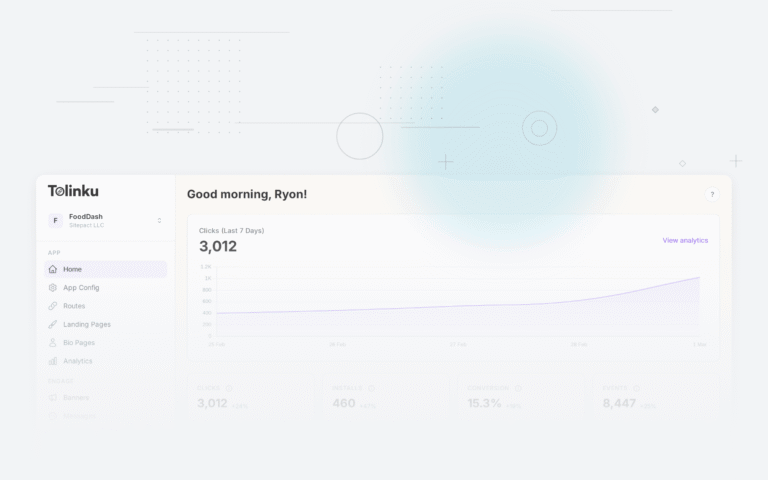
If you work on a mobile app, you have probably been asked some version of this question: "Where are our installs coming from?" The marketing team wants to know which campaigns are working. The product team wants to know which channels deliver engaged users. Finance wants to know whether the paid ads are worth the money. Mobile attribution is the system that answers all of these questions, and as a developer, you are the one building it.
Attribution is not just a marketing concern. It determines how your app handles incoming links, how you log events, how you structure your analytics pipeline, and how you comply with platform privacy rules from Apple and Google. Getting it wrong means wasted ad spend, broken user flows, and unreliable data.
This guide covers mobile attribution from a developer's perspective: the models, the technical mechanics, the platform-specific privacy frameworks, and the practical steps to implement attribution in your app.
What Is Mobile Attribution?
Mobile attribution is the process of connecting a user's app install (or post-install action) to the marketing touchpoint that drove it. A "touchpoint" could be a clicked ad, an email link, a social media post, a referral link, or an organic search result.
The concept sounds straightforward, but mobile makes it genuinely hard. Here is why:
The app store breaks the chain. When a user clicks a link on the web and gets redirected to the App Store or Google Play, the context from that click (UTM parameters, referrer data, campaign IDs) is lost. The app store is a wall between the click and the install. Unlike web analytics, where cookies and URL parameters persist across pages, mobile attribution has to reconstruct the connection after the user installs and opens the app.
Multiple devices and sessions. A user might see an ad on their laptop, click a link on their phone, and install the app hours later. Connecting these dots requires deterministic identifiers (like a login) or probabilistic matching (like device fingerprinting, which is increasingly restricted).
Privacy restrictions. Apple's App Tracking Transparency (ATT) and Google's Privacy Sandbox have fundamentally changed what data is available for attribution. The old approach of matching device-level identifiers across apps is dying. New frameworks like SKAdNetwork and the Attribution Reporting API provide aggregated, privacy-preserving alternatives.
Attribution Models
Attribution models define how credit for a conversion (install, purchase, sign-up) gets assigned across touchpoints. Each model tells a different story about what "caused" the conversion.
Last-Click Attribution
The most common model. 100% of the credit goes to the last touchpoint before the conversion. If a user clicked a Facebook ad, then a Google ad, then installed, Google gets all the credit.
Pros: Simple to implement, easy to understand, maps cleanly to direct-response campaigns. Cons: Ignores the role of earlier touchpoints in building awareness.
First-Click Attribution
The opposite: 100% of the credit goes to the first touchpoint. Using the same example, Facebook would get all the credit.
Pros: Good for understanding which channels introduce new users. Cons: Ignores everything that happened between discovery and conversion.
Linear Attribution
Credit is split equally across all touchpoints. If there were three touchpoints, each gets 33%.
Pros: Acknowledges every touchpoint. Cons: Treats a passing impression the same as a high-intent click.
Time-Decay Attribution
More credit goes to touchpoints closer in time to the conversion. A click five minutes before the install gets more credit than one from two weeks ago.
Pros: Reflects the intuition that recent interactions matter more. Cons: May undervalue early awareness campaigns.
Multi-Touch Attribution (MTA)
A general term for any model that distributes credit across multiple touchpoints. Linear and time-decay are both multi-touch models. More sophisticated versions use statistical modeling or machine learning to estimate the incremental contribution of each touchpoint.
For most mobile apps, last-click attribution is the default because it is the easiest to implement and the most widely supported by ad networks. Multi-touch models require collecting and joining data across multiple channels, which adds complexity and raises privacy concerns. For a detailed comparison of these approaches, see our article on last-click vs. multi-touch attribution.
How Attribution Works Technically
Under the hood, mobile attribution relies on a few core mechanisms.
Click Tracking
When a user clicks an ad or marketing link, the click is recorded by a tracking server. The server logs metadata: timestamp, IP address, user agent, referrer, campaign parameters, and (if available) a device identifier like IDFA or GAID.
The tracking URL then redirects the user to the appropriate destination: the app (via a deep link), the app store, or a fallback web page.
A typical tracking redirect flow looks like this:
User clicks: https://track.example.com/c/abc123?utm_source=twitter&utm_campaign=spring

Server logs:
  - click_id: abc123
  - timestamp: 2026-03-05T14:22:00Z
  - ip: 203.0.113.42
  - user_agent: Mozilla/5.0 (iPhone; CPU iPhone OS 19_0 ...)
  - utm_source: twitter
  - utm_campaign: spring

Server redirects to: https://apps.apple.com/app/id123456789
Install Postbacks
After the user installs and opens the app, the attribution system needs to match the install back to the click. On first launch, the app (or its SDK) sends a "handshake" to the attribution server with the device's current identifiers. The server matches this against recent clicks. Our article on the install attribution flow walks through this matching process step by step.
If a match is found, the install is attributed to that click, and a postback (a server-to-server callback) is sent to the ad network confirming the conversion.
Impression Tracking
View-through attribution tracks users who saw an ad but did not click it, then later installed the app. This uses shorter attribution windows (typically 24 hours vs. 7 days for clicks) and is considered lower confidence than click-through attribution.
Impression tracking works by firing a 1×1 pixel or a JavaScript beacon when the ad is rendered. The beacon logs the same metadata as a click, but with an "impression" event type.
Deterministic vs. Probabilistic Matching
Deterministic matching uses a stable identifier (IDFA, GAID, or a first-party login) to connect the click to the install with certainty. This is the gold standard but requires user consent under ATT on iOS.
Probabilistic matching (sometimes called "fingerprinting") uses a combination of IP address, user agent, device model, OS version, and screen resolution to estimate a match. It works without explicit identifiers but has a higher false-positive rate, especially on shared networks (offices, universities, carrier-grade NAT). Apple has explicitly prohibited fingerprinting for attribution purposes on iOS.
Apple's SKAdNetwork
Apple introduced SKAdNetwork (SKAN) as a privacy-preserving attribution framework. It lets ad networks measure install conversions without exposing user-level data.
How SKAN Works
- The ad network signs the ad impression or click with a cryptographic signature.
- When the user installs and opens the app, StoreKit validates the attribution on-device.
- After a timer expires, Apple sends a postback to the ad network with the conversion data.
- The postback is anonymous: no device ID, no user-level data.
SKAN 4.0 Key Features
SKAN 4.0, introduced with iOS 16.1, added several improvements:
Multiple postbacks. SKAN 4.0 supports up to three postbacks at different time windows (0-2 days, 3-7 days, 8-35 days), giving advertisers a longer view of post-install behavior.
Hierarchical conversion values. There are two types of conversion values: a "fine" value (6 bits, 64 possible values) and a "coarse" value (low, medium, high). Which one you receive depends on crowd anonymity; campaigns with more installs get fine-grained data.
Crowd anonymity tiers. Apple groups campaigns into anonymity tiers based on install volume. Higher tiers unlock more granular data:
| Tier | Postback Data |
|---|---|
| Tier 0 | No conversion value, no source identifier |
| Tier 1 | Coarse conversion value, 2-digit source identifier |
| Tier 2 | Fine conversion value, 3-digit source identifier |
| Tier 3 | Fine conversion value, 4-digit source identifier |
Implementing SKAN Conversion Values
Setting conversion values requires careful planning. You only have 6 bits (values 0-63), so you need to encode meaningful business events into this small space.
import StoreKit

// Update the fine conversion value when a user completes an event
if #available(iOS 16.1, *) {
    SKAdNetwork.updatePostbackConversionValue(42, coarseValue: .high) { error in
        if let error = error {
            print("SKAN update failed: \(error.localizedDescription)")
        }
    }
}
A common encoding scheme maps bit positions to events:
Bit 0 (1):  Completed onboarding
Bit 1 (2):  Created account
Bit 2 (4):  Made first purchase
Bit 3 (8):  Subscribed
Bit 4 (16): Reached level 5 / high engagement
Bit 5 (32): Referred a friend
This lets you combine events: a user who completed onboarding and made a purchase would have a conversion value of 5 (binary: 000101).
SKAN Limitations
SKAN is a significant step forward for privacy, but it comes with trade-offs for developers. Postbacks are delayed (at least 24-48 hours), making real-time optimization impossible. The data is aggregated, so you cannot build user-level funnels. And the crowd anonymity thresholds mean small campaigns may receive very little data. For a comprehensive walkthrough of SKAN versions and implementation strategies, see our SKAdNetwork and SKAN 5 guide.
Google's Privacy Sandbox
Google is building its own set of privacy-preserving APIs under the Privacy Sandbox for Android. The most relevant for attribution is the Attribution Reporting API.
Attribution Reporting API
The Attribution Reporting API provides two types of reports:
Event-level reports link a click or impression to a conversion, but with limited conversion-side data and added noise. These are useful for campaign optimization.
Aggregatable reports provide detailed conversion data (like purchase values) but only in aggregate form, processed through a secure aggregation service. These are useful for measurement and reporting.
Registering Attribution Sources
When a user clicks or views an ad, the ad tech registers an attribution source:
// Register an attribution source when user clicks an ad
val attributionSource = Uri.parse("https://adtech.example/attribution-source")
val inputEvent = event // the InputEvent from the click

measurementManager.registerSource(
    attributionSource,
    inputEvent,
    executor,
    callback
)
The server responds with headers that define the source:
Attribution-Reporting-Register-Source: {
  "destination": "android-app://com.example.myapp",
  "source_event_id": "12345678",
  "expiry": "604800",
  "priority": "100"
}
Registering Triggers
When the conversion event happens (install, purchase, sign-up), the app registers a trigger:
// Register a trigger when conversion happens
val triggerUri = Uri.parse("https://adtech.example/attribution-trigger")

measurementManager.registerTrigger(
    triggerUri,
    executor,
    callback
)
Topics API
The Topics API is related but separate. It provides coarse-grained interest signals (like "Sports" or "Travel") based on app usage, without revealing which specific apps a user has installed. Topics are useful for ad targeting but not directly for attribution.
Building Attribution Into Your App
Regardless of which third-party frameworks you use, there are concrete steps you should take to build attribution tracking into your app.
Pass UTM Parameters Through Deep Links
UTM parameters (utm_source, utm_medium, utm_campaign, utm_content, utm_term) are the standard way to tag marketing links. Make sure your deep link handler extracts and logs these.
// Example: extracting UTM params from a deep link URL
function extractUTMParams(url) {
  const params = new URL(url).searchParams;
  return {
    source: params.get('utm_source'),
    medium: params.get('utm_medium'),
    campaign: params.get('utm_campaign'),
    content: params.get('utm_content'),
    term: params.get('utm_term'),
  };
}

// On deep link open
function handleDeepLink(url) {
  const utm = extractUTMParams(url);

  // Log to your analytics backend
  analytics.track('deep_link_opened', {
    url: url,
    ...utm,
    timestamp: Date.now(),
  });

  // Route the user to the correct screen
  router.navigate(parseDeepLinkPath(url));
}
Log Key Conversion Events
Define the events that matter for attribution and log them consistently. At minimum, track:
- App open (first and subsequent)
- Registration / account creation
- First meaningful action (varies by app type)
- Purchase or subscription
- Referral sent
// Consistent event logging with attribution context
function logConversionEvent(eventName, properties = {}) {
  const attributionContext = getStoredAttribution();

  fetch('/api/v1/events', {
    method: 'POST',
    headers: { 'Content-Type': 'application/json' },
    body: JSON.stringify({
      event: eventName,
      properties: {
        ...properties,
        attribution_source: attributionContext?.source,
        attribution_campaign: attributionContext?.campaign,
        attribution_click_id: attributionContext?.clickId,
      },
      timestamp: new Date().toISOString(),
    }),
  });
}

// Usage
logConversionEvent('purchase_completed', {
  revenue: 29.99,
  currency: 'USD',
  product_id: 'pro_monthly',
});
Store Attribution Data on First Launch
When the app opens for the first time (especially from a deep link or deferred deep link), persist the attribution data locally. This lets you attach attribution context to all future events from that user.
// iOS: Store attribution data on first launch
func storeAttribution(from url: URL) {
    guard !UserDefaults.standard.bool(forKey: "attribution_stored") else {
        return // Only store on first launch
    }

    let components = URLComponents(url: url, resolvingAgainstBaseURL: false)
    let params = components?.queryItems?.reduce(into: [String: String]()) {
        result, item in
        result[item.name] = item.value
    }

    if let params = params {
        UserDefaults.standard.set(params, forKey: "attribution_data")
        UserDefaults.standard.set(true, forKey: "attribution_stored")
        UserDefaults.standard.set(Date().timeIntervalSince1970,
                                   forKey: "attribution_timestamp")
    }
}
Attribution Windows and Lookback Periods
An attribution window (or lookback window) defines how far back in time a click or impression can be credited for a conversion. If the window is 7 days and a user clicked an ad 10 days before installing, that click does not count.
Standard Windows
| Touchpoint Type | Typical Window |
|---|---|
| Click-through | 7-30 days |
| View-through | 1-24 hours |
| Re-engagement | 7 days |
Why Windows Matter
Shorter windows produce higher-confidence attribution. A click from 28 days ago probably did not directly cause an install. But longer windows capture more conversions, which makes campaigns look better.
As a developer, you need to implement window logic in your matching algorithm:
from datetime import datetime, timedelta

def find_matching_click(install_event, clicks, window_days=7):
    """Find the most recent click within the attribution window."""
    window_start = install_event.timestamp - timedelta(days=window_days)

    matching_clicks = [
        click for click in clicks
        if click.timestamp >= window_start
        and click.timestamp <= install_event.timestamp
        and matches_device(click, install_event)
    ]

    if not matching_clicks:
        return None

    # Last-click: return the most recent match
    return max(matching_clicks, key=lambda c: c.timestamp)
SKAN has its own fixed windows for postbacks (0-2 days, 3-7 days, 8-35 days), which you cannot configure. The Attribution Reporting API on Android lets you set an expiry of up to 30 days.
Common Attribution Problems
Click Fraud
Fraudsters generate fake clicks to steal attribution credit from organic installs. Common techniques include click flooding (high volume of fake clicks from bot farms), click injection (malware that fires a click just before an install completes), and SDK spoofing (sending fake install postbacks directly to attribution endpoints).
Defenses include validating click-to-install time (CTIT) distributions, monitoring for suspiciously high click volumes from single sources, and verifying that clicks come from real user interactions.
Fingerprint Collisions
Probabilistic matching relies on combinations of IP address, user agent, and device metadata. On shared networks (corporate offices, university Wi-Fi, carrier-grade NAT), multiple devices can share the same fingerprint, leading to misattribution.
For example, if two people on the same office Wi-Fi both click different ads and one installs, the install could be attributed to either click. This is one reason Apple banned fingerprinting entirely.
Cross-Device Attribution
A user sees an ad on their tablet, but installs the app on their phone. Without a shared identifier (like a logged-in account), there is no reliable way to connect these events. Cross-device attribution typically requires users to authenticate on both devices, which limits its coverage.
Deferred Deep Link Attribution
When a user clicks a link, goes to the app store, installs, and then opens the app, the original link context needs to survive that entire flow. This is where deferred deep linking comes in. The attribution system must store the click data server-side and match it to the install on first open.
Attribution with Tolinku
Tolinku provides built-in attribution tracking as part of its deep linking platform. When you create routes in Tolinku, every click is tracked with full UTM parameter support, referrer data, device metadata, and timestamp.
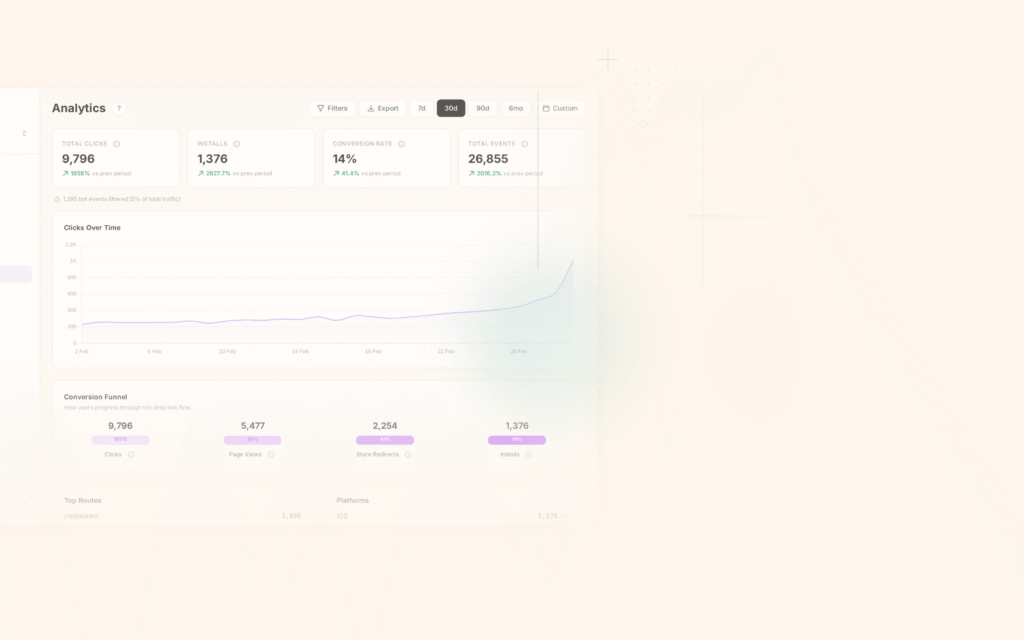
The analytics dashboard shows attribution data across your campaigns, including click-through rates, install conversions, and post-install events. For tips on reading and acting on this data, see our article on attribution dashboards. You can build custom funnels to visualize how users move from click to install to conversion, broken down by source, medium, and campaign.
For programmatic access, the Analytics API lets you pull attribution data into your own reporting tools or data warehouse.
Tolinku's approach keeps attribution data first-party. Because your deep links run through your own domain, the click and install data stays in your Appspace rather than being shared with a third-party attribution provider. This simplifies privacy compliance and gives you full control over your attribution data.
Best Practices
Define your attribution model before you launch campaigns. Changing models mid-campaign makes historical comparisons meaningless. Pick one model (last-click is the safe default), document it, and stick with it.
Implement SKAN conversion values early. Retrofitting conversion value logic into an existing app is painful. Plan your bit allocation during development, and test it thoroughly before your first iOS ad campaign. Apple provides a testing guide that is worth following.
Validate your data pipeline end-to-end. Create test links with known UTM parameters, click them, install the app, trigger conversion events, and verify that every step is logged correctly. Do this on both iOS and Android, and do it regularly.
Separate organic from paid attribution. Installs that come from App Store search, word of mouth, or direct app store browsing should not be attributed to paid campaigns. Make sure your system has an explicit "organic" category and does not over-attribute.
Respect platform privacy rules. Apple reviews apps for fingerprinting and unauthorized tracking. Google's Privacy Sandbox is still evolving, but the direction is clear. Build on the official APIs (SKAN, Attribution Reporting API) rather than workarounds that may break with the next OS update. Our guide on attribution and GDPR covers the regulatory side of these privacy requirements.
Use server-side event logging. Client-side analytics can be blocked by ad blockers, network issues, or app crashes. Log critical conversion events server-side (or at minimum, queue them locally and retry) to avoid undercounting.
Set reasonable attribution windows. A 30-day click window might capture more conversions, but it also increases the chance of misattribution. For most apps, 7 days for clicks and 24 hours for impressions strikes a reasonable balance.
Monitor for fraud. Set up alerts for unusual patterns: spikes in click volume without corresponding installs, abnormally short click-to-install times (under 10 seconds can indicate click injection), and clusters of installs from the same IP range.
Document your event taxonomy. Every team member should know exactly which events are tracked, what properties they include, and what triggers them. A shared event dictionary prevents the kind of naming inconsistencies ("purchase" vs. "purchase_completed" vs. "order_placed") that make attribution data unreliable.
Plan for a world without device IDs. IDFA opt-in rates on iOS hover around 20-30%. GAID is being phased out. Your attribution strategy should work with aggregated, privacy-safe signals. If your entire system depends on user-level device IDs, it is already on borrowed time.
Conclusion
Mobile attribution is a technical challenge that sits at the intersection of marketing, privacy, and app development. As a developer, your job is not just to integrate an SDK; it is to understand the mechanics well enough to build reliable, privacy-compliant systems that produce trustworthy data.
The landscape has shifted dramatically in the past few years. Deterministic, user-level attribution is giving way to aggregated, privacy-preserving frameworks like SKAdNetwork and the Privacy Sandbox. These new systems are more complex to implement, but they represent the direction the industry is heading.
Start with the basics: tag your marketing links with UTM parameters, extract them in your deep link handler, log conversion events consistently, and store attribution context on first launch. Then layer on the platform-specific frameworks (SKAN for iOS, Attribution Reporting API for Android) to handle paid campaign measurement.
Good attribution data does not just help the marketing team justify their budget. It helps you, as a developer, understand how users find your app, what channels bring the most engaged users, and where the technical friction points are in your acquisition funnel. That knowledge makes everything else you build better.
Get deep linking tips in your inbox
One email per week. No spam.