Running a dedicated server for a webhook receiver that handles a few hundred events per day is overkill. You're paying for idle compute 99% of the time. Serverless functions flip the model: they run only when a webhook arrives, scale automatically during traffic spikes, and cost nothing when idle.
This guide covers deploying Tolinku webhook handlers on AWS Lambda, Google Cloud Functions, and Cloudflare Workers, with working code for each platform. For the general webhook architecture, see the real-time event processing guide. For setup basics, see the webhook setup guide.
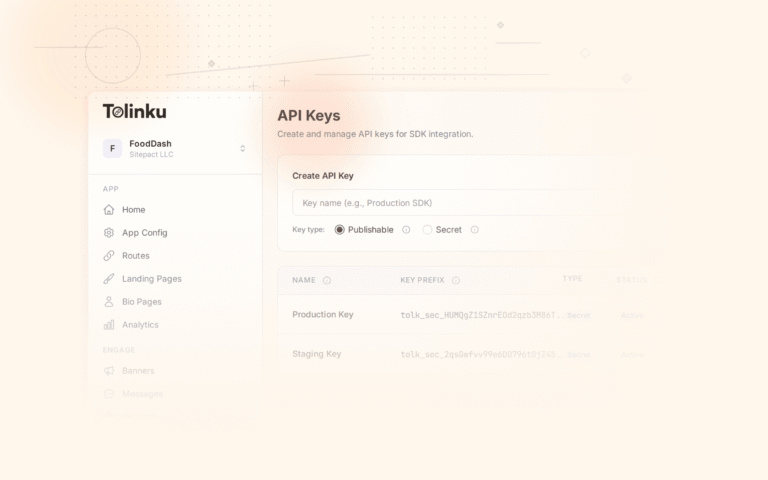
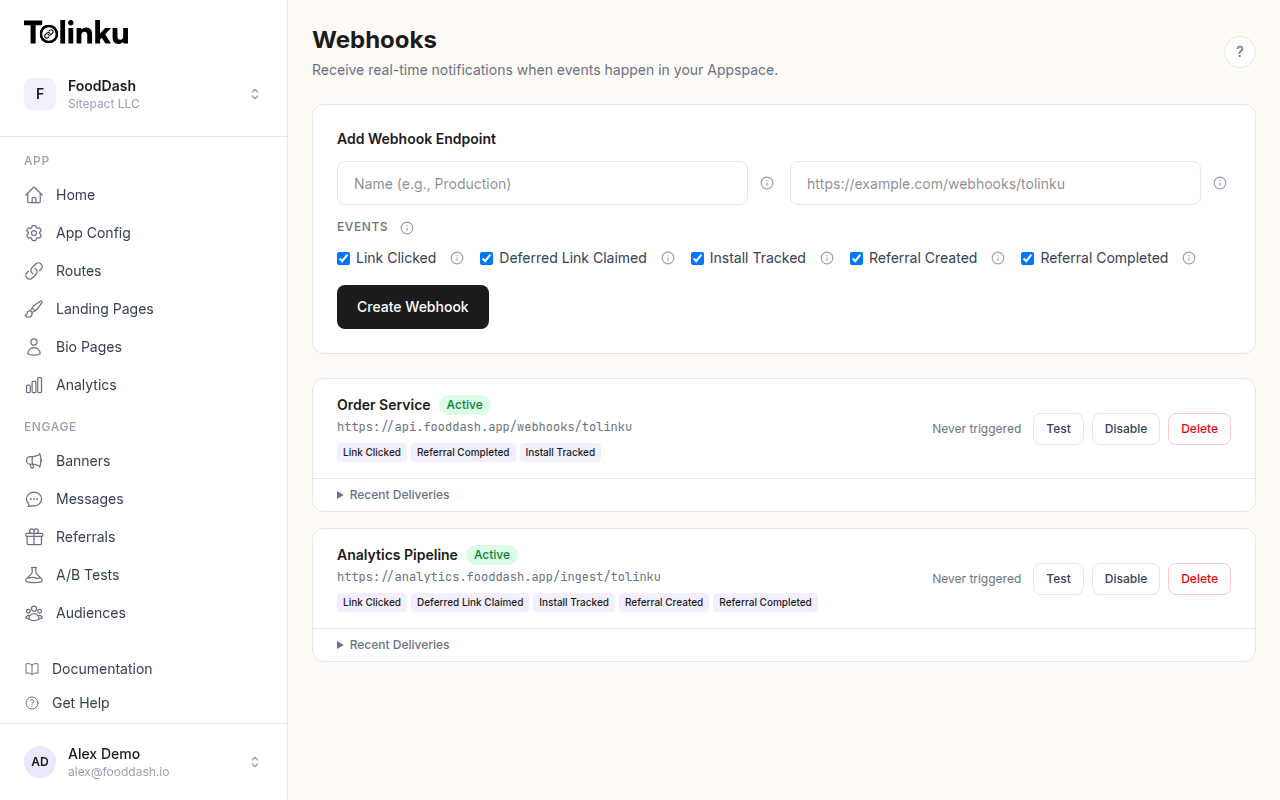 The webhooks page with create form, webhook list, and delivery log.
Why Serverless for Webhooks?
Webhooks are inherently event-driven: nothing happens until an event arrives. Serverless functions match this pattern perfectly.
| Concern | Traditional Server | Serverless |
|---|---|---|
| Idle cost | Running 24/7 regardless of traffic | Zero cost when no events |
| Scaling | Manual or auto-scaling with lag | Instant per-request scaling |
| Ops burden | OS patches, runtime updates, monitoring | Managed by the platform |
| Cold starts | None (always running) | 100-500ms on first invocation |
| Long-running tasks | Supported | Limited (Lambda: 15 min max) |
The tradeoff is cold starts and execution time limits. For webhook receivers that verify a signature, parse a payload, and forward to a queue or database, the execution time is well within limits (typically under 1 second).
AWS Lambda + API Gateway
The most common serverless webhook setup. API Gateway provides the HTTPS endpoint; Lambda runs the handler.
Handler Code
// handler.ts
import crypto from 'crypto';

const WEBHOOK_SECRET = process.env.WEBHOOK_SECRET!;

export async function handler(event: any) {
  const body = event.body;
  const isBase64 = event.isBase64Encoded;
  const rawBody = isBase64 ? Buffer.from(body, 'base64') : Buffer.from(body);

  // Verify signature
  const signature = event.headers['x-webhook-signature'];
  const expected = crypto
    .createHmac('sha256', WEBHOOK_SECRET)
    .update(rawBody)
    .digest('hex');

  if (signature !== expected) {
    return { statusCode: 401, body: 'Invalid signature' };
  }

  const webhookEvent = JSON.parse(rawBody.toString());

  // Process the event
  await processEvent(webhookEvent);

  return { statusCode: 200, body: 'OK' };
}

async function processEvent(event: any) {
  const { event: eventType, timestamp, data } = event;
  console.log(JSON.stringify({ eventType, timestamp, data }));

  // Forward to SQS, DynamoDB, or another service
  // Example: write to DynamoDB
  // await dynamodb.put({ TableName: 'webhook-events', Item: { ... } });
}
Deployment with SAM
# template.yaml
AWSTemplateFormatVersion: '2010-09-09'
Transform: AWS::Serverless-2016-10-31

Resources:
  WebhookFunction:
    Type: AWS::Serverless::Function
    Properties:
      Handler: handler.handler
      Runtime: nodejs20.x
      Timeout: 10
      MemorySize: 256
      Environment:
        Variables:
          WEBHOOK_SECRET: !Ref WebhookSecret
      Events:
        Webhook:
          Type: Api
          Properties:
            Path: /webhooks/tolinku
            Method: post
sam build && sam deploy --guided
After deployment, SAM outputs the API Gateway URL. Use that as your webhook endpoint in Tolinku.
Lambda-Specific Considerations
- Timeout: Set the Lambda timeout to 10 seconds to match Tolinku's delivery timeout. If your function takes longer than 10 seconds, Tolinku marks the delivery as failed and retries.
- Concurrency: Lambda scales automatically. Set reserved concurrency to protect downstream services from being overwhelmed during traffic spikes.
- Cold starts: The first invocation after idle periods adds 100-500ms. For Node.js, this is typically under 300ms, well within the 10-second window.
- API Gateway: Use a REST API (not HTTP API) if you need request validation or WAF integration. HTTP API is cheaper and faster for simple webhook receivers.
Google Cloud Functions
Cloud Functions offer a simpler deployment model than Lambda (no API Gateway configuration needed).
Handler Code
// index.ts
import crypto from 'crypto';
import type { HttpFunction } from '@google-cloud/functions-framework';

const WEBHOOK_SECRET = process.env.WEBHOOK_SECRET!;

export const webhookHandler: HttpFunction = async (req, res) => {
  if (req.method !== 'POST') {
    res.status(405).send('Method not allowed');
    return;
  }

  // Cloud Functions provides the raw body via req.rawBody
  const rawBody = req.rawBody;
  if (!rawBody) {
    res.status(400).send('No body');
    return;
  }

  // Verify signature
  const signature = req.headers['x-webhook-signature'] as string;
  const expected = crypto
    .createHmac('sha256', WEBHOOK_SECRET)
    .update(rawBody)
    .digest('hex');

  if (signature !== expected) {
    res.status(401).send('Invalid signature');
    return;
  }

  const event = JSON.parse(rawBody.toString());

  // Process
  await processEvent(event);

  res.status(200).send('OK');
};

async function processEvent(event: any) {
  console.log(JSON.stringify({
    event_type: event.event,
    timestamp: event.timestamp,
    platform: event.data.platform,
  }));
}
Deployment
gcloud functions deploy webhookHandler \
  --runtime nodejs20 \
  --trigger-http \
  --allow-unauthenticated \
  --set-env-vars WEBHOOK_SECRET=whsec_your_secret_here \
  --timeout 10s \
  --memory 256MB \
  --region us-central1
The output includes the function's URL. Use it as your Tolinku webhook endpoint.
Cloud Functions Considerations
rawBody: Cloud Functions preserves the raw request body inreq.rawBody. Use this for signature verification, notreq.body(which is pre-parsed).--allow-unauthenticated: Required because Tolinku sends webhooks without Google Cloud authentication. TheX-Webhook-Signatureheader provides authentication.- Gen 2 vs Gen 1: Gen 2 functions (backed by Cloud Run) have better cold start times and concurrency. Prefer Gen 2 for production.
Cloudflare Workers
Workers run at the edge, close to users. They have no cold starts (always warm) and a generous free tier (100,000 requests/day).
Handler Code
// src/index.ts
export default {
  async fetch(request: Request, env: Env): Promise<Response> {
    if (request.method !== 'POST') {
      return new Response('Method not allowed', { status: 405 });
    }

    const rawBody = await request.arrayBuffer();
    const bodyBytes = new Uint8Array(rawBody);

    // Verify signature using Web Crypto API
    const signature = request.headers.get('x-webhook-signature');
    if (!signature) {
      return new Response('Missing signature', { status: 401 });
    }

    const key = await crypto.subtle.importKey(
      'raw',
      new TextEncoder().encode(env.WEBHOOK_SECRET),
      { name: 'HMAC', hash: 'SHA-256' },
      false,
      ['sign']
    );

    const expectedBytes = await crypto.subtle.sign('HMAC', key, bodyBytes);
    const expectedHex = Array.from(new Uint8Array(expectedBytes))
      .map(b => b.toString(16).padStart(2, '0'))
      .join('');

    if (signature !== expectedHex) {
      return new Response('Invalid signature', { status: 401 });
    }

    const event = JSON.parse(new TextDecoder().decode(bodyBytes));

    // Process (non-blocking with waitUntil)
    const ctx = { waitUntil: (p: Promise<any>) => p };
    ctx.waitUntil(processEvent(event, env));

    return new Response('OK', { status: 200 });
  },
};

async function processEvent(event: any, env: Env) {
  // Forward to a queue, KV store, or external API
  console.log(`${event.event}: ${event.data.platform || 'unknown'}`);
}

interface Env {
  WEBHOOK_SECRET: string;
}
Deployment
npx wrangler deploy
Configure the secret:
npx wrangler secret put WEBHOOK_SECRET
Workers Considerations
- No cold starts: Workers are always warm. First-byte time is typically under 5ms.
- Web Crypto API: Workers don't have Node.js
crypto. Use the Web Crypto API (crypto.subtle) for HMAC verification. waitUntil: In a real Workers deployment, usectx.waitUntil()from theExecutionContextto run async processing after the response is sent.- Execution limit: 30 seconds on paid plans, 10ms CPU time on the free plan. The free plan is too restrictive for webhook handlers; use the $5/month Workers Paid plan.
- KV and Durable Objects: Use Cloudflare KV for deduplication storage, or Durable Objects for stateful processing.
Forwarding to a Queue
In all three platforms, the recommended pattern is: verify the signature, respond 200, and forward the event to a queue for processing. This keeps the function execution time short and decouples ingestion from processing.
Lambda to SQS
import { SQSClient, SendMessageCommand } from '@aws-sdk/client-sqs';

const sqs = new SQSClient({});

async function processEvent(event: any, rawBody: string) {
  const hash = crypto.createHash('sha256').update(rawBody).digest('hex');

  await sqs.send(new SendMessageCommand({
    QueueUrl: process.env.SQS_QUEUE_URL!,
    MessageBody: rawBody,
    MessageDeduplicationId: hash,
    MessageGroupId: event.event,
  }));
}
Cloud Functions to Pub/Sub
import { PubSub } from '@google-cloud/pubsub';

const pubsub = new PubSub();
const topic = pubsub.topic('webhook-events');

async function processEvent(event: any, rawBody: Buffer) {
  await topic.publishMessage({
    data: rawBody,
    attributes: {
      eventType: event.event,
    },
  });
}
Workers to Cloudflare Queue
async function processEvent(event: any, env: Env, rawBody: string) {
  await env.WEBHOOK_QUEUE.send({
    body: rawBody,
    eventType: event.event,
  });
}
Cost Comparison
For 10,000 webhook events per day (a moderate volume):
| Platform | Monthly Cost | Notes |
|---|---|---|
| AWS Lambda + API Gateway | ~$0.50 | Lambda free tier covers 1M requests/month |
| Google Cloud Functions | ~$0.40 | 2M free invocations/month |
| Cloudflare Workers | ~$0.00 | 100K free requests/day covers this |
| Traditional server (smallest instance) | $5-10 | Running 24/7 regardless of traffic |
For 1,000,000 events per day:
| Platform | Monthly Cost |
|---|---|
| AWS Lambda + API Gateway | ~$15 |
| Google Cloud Functions | ~$12 |
| Cloudflare Workers | ~$5 |
| Traditional server (scaled) | $20-50 |
Serverless pricing scales linearly with usage, while traditional servers have step-function pricing (you pay for the next tier even if you're barely over capacity).
When NOT to Use Serverless
Serverless isn't the right fit when:
- You need long-running processing. Lambda caps at 15 minutes. If your webhook handler triggers a 30-minute batch job, run that on a container or server.
- You need persistent connections. WebSocket connections, database connection pools, and in-memory caches don't work well with ephemeral functions.
- Cold starts matter. If your webhook handler must respond in under 50ms consistently, Lambda's cold starts (100-500ms) are a problem. Workers don't have this issue.
- You already run a server. If you have an Express app handling other API routes, adding a webhook route is simpler than deploying a separate Lambda function.
For monitoring your serverless webhook handler, see the delivery monitoring guide. For testing before deployment, see the webhook testing tools guide.
Get deep linking tips in your inbox
One email per week. No spam.