Attribution answers the question "where did this user come from?" Webhooks answer the question "when?" Together, they give you real-time conversion tracking: the moment a user installs your app, completes a referral, or claims a deferred deep link, you know about it and you know which campaign, channel, and link brought them in.
This guide covers how to use Tolinku webhooks for real-time attribution, how to build an attribution data model, and how to connect webhook events to campaign optimization workflows. For the general webhook setup, see the webhook setup guide. For a broader overview of mobile attribution, see the mobile attribution developer's guide.
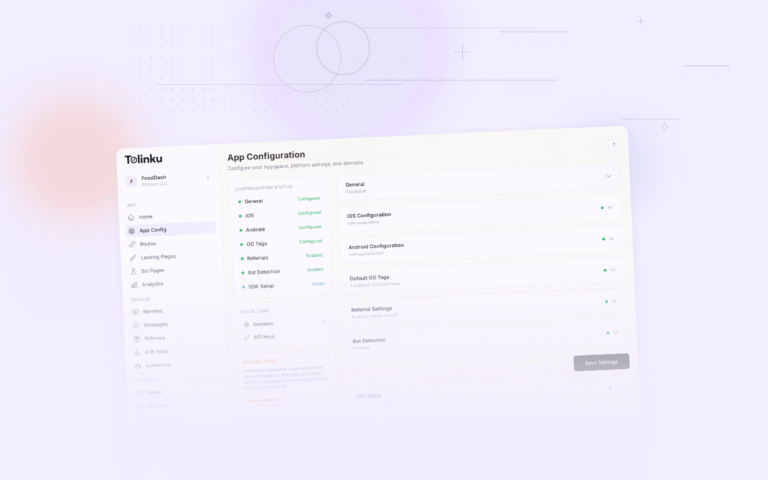
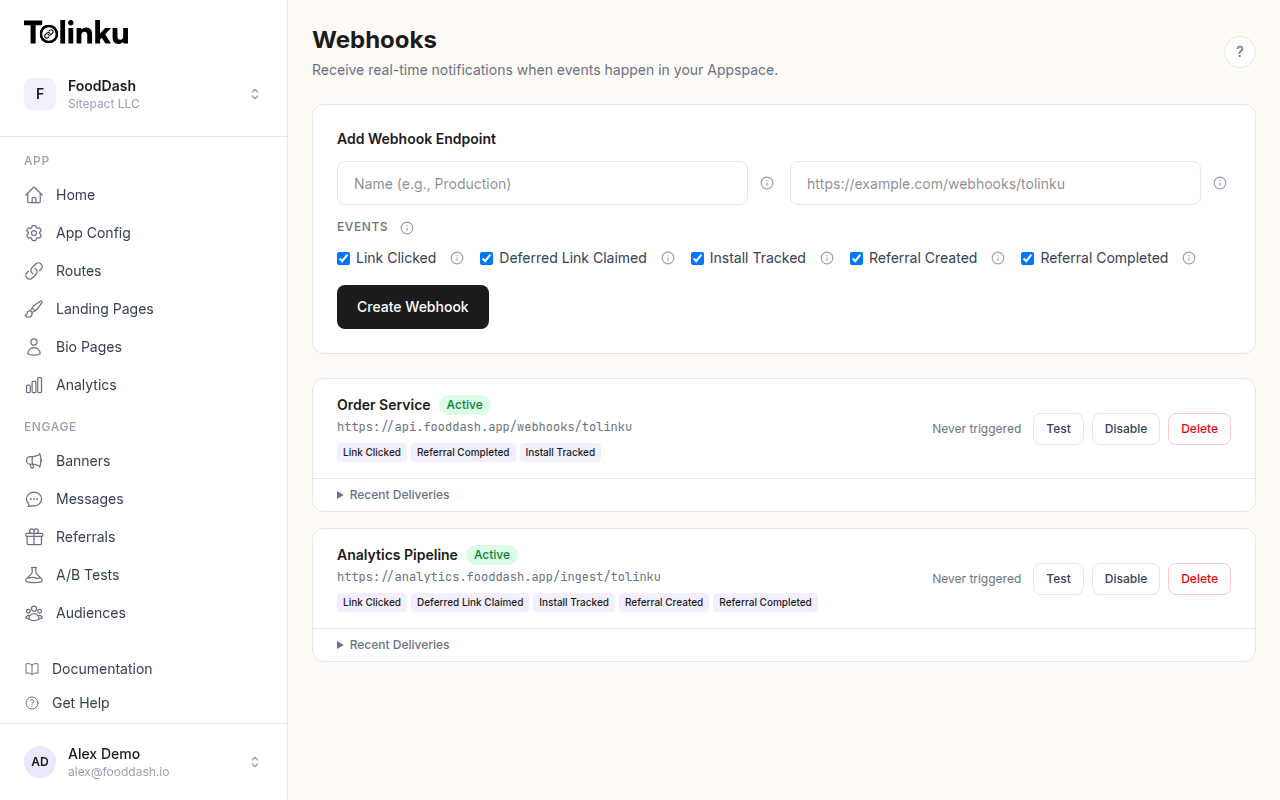 The webhooks page with create form, webhook list, and delivery log.
The Attribution Events
Tolinku fires five webhook events. Each one carries attribution context in the data object:
link.clicked
Fires when a user taps or clicks a deep link. This is the top of your attribution funnel.
{
  "event": "link.clicked",
  "timestamp": "2026-05-21T14:00:00.000Z",
  "data": {
    "prefix": "go",
    "token": "summer-sale",
    "hostname": "links.example.com",
    "ip": "203.0.113.42",
    "platform": "ios",
    "device_type": "mobile",
    "campaign": "instagram-story-may"
  }
}
The campaign field corresponds to the campaign parameter configured on the link. The prefix and token together identify the specific route that was clicked (e.g., go/summer-sale).
deferred_link.claimed
Fires when a deferred deep link is resolved after app install. This event proves that a pre-install click led to an actual install and app open.
install.tracked
Fires when an app install is attributed to a deep link. This is the core conversion event for user acquisition campaigns.
referral.created
Fires when a new referral is registered. The referred user clicked a referral link and started the signup process.
referral.completed
Fires when a referred user completes the target action (first purchase, subscription, etc.). This is the bottom of the referral attribution funnel.
See the webhook event types guide for full payload documentation.
Building an Attribution Model
For real-time attribution, you need to connect events across the funnel. A single user journey might produce this sequence:
link.clicked(user taps a campaign link)deferred_link.claimed(user installs and opens the app; the original click is resolved)install.tracked(install is attributed)referral.completed(if this was a referral link, the conversion fires)
The link between these events is the deep link itself: the prefix, token, and campaign fields appear consistently across related events. Your attribution system matches events by these fields to reconstruct the user journey.
Attribution Table Schema
CREATE TABLE attribution_events (
  id SERIAL PRIMARY KEY,
  event_type VARCHAR(50) NOT NULL,
  event_timestamp TIMESTAMPTZ NOT NULL,
  received_at TIMESTAMPTZ DEFAULT NOW(),
  prefix VARCHAR(100),
  token VARCHAR(255),
  hostname VARCHAR(255),
  campaign VARCHAR(255),
  platform VARCHAR(20),
  device_type VARCHAR(20),
  ip INET,
  raw_data JSONB NOT NULL
);

CREATE INDEX idx_attribution_campaign ON attribution_events(campaign);
CREATE INDEX idx_attribution_token ON attribution_events(token);
CREATE INDEX idx_attribution_event_type ON attribution_events(event_type);
CREATE INDEX idx_attribution_timestamp ON attribution_events(event_timestamp);
Receiver
import express from 'express';
import crypto from 'crypto';
import pg from 'pg';

const app = express();
app.use('/webhooks', express.raw({ type: 'application/json' }));

const pool = new pg.Pool({ connectionString: process.env.DATABASE_URL });
const WEBHOOK_SECRET = process.env.WEBHOOK_SECRET!;

app.post('/webhooks/tolinku', async (req, res) => {
  const signature = req.headers['x-webhook-signature'] as string;
  const expected = crypto
    .createHmac('sha256', WEBHOOK_SECRET)
    .update(req.body)
    .digest('hex');

  if (signature !== expected) {
    return res.status(401).send('Invalid signature');
  }

  res.status(200).send('OK');

  const event = JSON.parse(req.body.toString());
  await recordAttribution(event);
});

async function recordAttribution(event: any) {
  const { event: eventType, timestamp, data } = event;

  // Deduplicate using a hash of the event content
  const eventHash = crypto
    .createHash('sha256')
    .update(JSON.stringify(event))
    .digest('hex');

  await pool.query(
    `INSERT INTO attribution_events
     (event_type, event_timestamp, prefix, token, hostname, campaign,
      platform, device_type, ip, raw_data)
     VALUES ($1, $2, $3, $4, $5, $6, $7, $8, $9, $10)
     ON CONFLICT DO NOTHING`,
    [
      eventType,
      timestamp,
      data.prefix || null,
      data.token || null,
      data.hostname || null,
      data.campaign || null,
      data.platform || null,
      data.device_type || null,
      data.ip || null,
      JSON.stringify(event),
    ]
  );
}
Last-Click Attribution
The simplest attribution model: credit the conversion to the last link clicked before the conversion event. This is what most teams start with, and it's often sufficient.
With webhook data, last-click attribution is straightforward:
-- For each install, find the most recent click with the same token
SELECT
  i.event_timestamp AS install_time,
  i.token,
  i.campaign,
  i.platform,
  c.event_timestamp AS click_time,
  EXTRACT(EPOCH FROM (i.event_timestamp - c.event_timestamp)) AS seconds_to_install
FROM attribution_events i
LEFT JOIN LATERAL (
  SELECT event_timestamp
  FROM attribution_events
  WHERE event_type = 'link.clicked'
    AND token = i.token
    AND event_timestamp < i.event_timestamp
  ORDER BY event_timestamp DESC
  LIMIT 1
) c ON true
WHERE i.event_type = 'install.tracked'
  AND i.event_timestamp > NOW() - INTERVAL '7 days';
This query joins each install event with its most recent preceding click event using the token field. The seconds_to_install column tells you how long the conversion took.
Multi-Touch Attribution
For campaigns that span multiple touchpoints (a user sees an ad, clicks a social post, then clicks a referral link), you want to track all touches, not just the last one.
The webhook data alone won't give you the full multi-touch picture, because Tolinku fires webhooks for its own link events. But you can combine webhook data with your other attribution sources to build a multi-touch model:
-- All touchpoints for links with the same campaign, ordered by time
SELECT
  event_type,
  event_timestamp,
  token,
  campaign,
  platform,
  device_type
FROM attribution_events
WHERE campaign = 'instagram-story-may'
ORDER BY event_timestamp;
This shows the full journey of a campaign: clicks, deferred link claims, installs, and referral completions over time.
Real-Time Campaign Dashboards
The real power of webhook-based attribution is speed. Instead of waiting for a daily batch export, you can build dashboards that update in real time.
Conversion Rate by Campaign
SELECT
  campaign,
  COUNT(*) FILTER (WHERE event_type = 'link.clicked') AS clicks,
  COUNT(*) FILTER (WHERE event_type = 'install.tracked') AS installs,
  COUNT(*) FILTER (WHERE event_type = 'referral.completed') AS conversions,
  ROUND(
    COUNT(*) FILTER (WHERE event_type = 'install.tracked')::numeric /
    NULLIF(COUNT(*) FILTER (WHERE event_type = 'link.clicked'), 0) * 100,
    2
  ) AS install_rate,
  ROUND(
    COUNT(*) FILTER (WHERE event_type = 'referral.completed')::numeric /
    NULLIF(COUNT(*) FILTER (WHERE event_type = 'install.tracked'), 0) * 100,
    2
  ) AS conversion_rate
FROM attribution_events
WHERE event_timestamp > NOW() - INTERVAL '24 hours'
  AND campaign IS NOT NULL
GROUP BY campaign
ORDER BY clicks DESC;
Platform Breakdown
SELECT
  platform,
  device_type,
  COUNT(*) FILTER (WHERE event_type = 'link.clicked') AS clicks,
  COUNT(*) FILTER (WHERE event_type = 'install.tracked') AS installs
FROM attribution_events
WHERE event_timestamp > NOW() - INTERVAL '7 days'
GROUP BY platform, device_type
ORDER BY clicks DESC;
Time to Install
SELECT
  campaign,
  PERCENTILE_CONT(0.5) WITHIN GROUP (
    ORDER BY EXTRACT(EPOCH FROM (i.event_timestamp - c.event_timestamp))
  ) AS median_seconds_to_install
FROM attribution_events i
JOIN attribution_events c
  ON c.event_type = 'link.clicked'
  AND c.token = i.token
  AND c.event_timestamp < i.event_timestamp
WHERE i.event_type = 'install.tracked'
  AND i.event_timestamp > NOW() - INTERVAL '7 days'
GROUP BY i.campaign;
Connect these queries to a dashboard tool (Grafana, Metabase, or a custom frontend) and you have real-time attribution reporting.
Attribution Windows
An attribution window defines how long after a click you'll still credit a conversion. Without a window, a user who clicked a link six months ago and happens to install your app today would get attributed to that old campaign.
Standard attribution windows:
| Event Flow | Typical Window |
|---|---|
| Click to install | 7 days |
| Click to deferred link claim | 7 days |
| Install to referral completion | 30 days |
Apply the window in your queries:
-- Only attribute installs that happened within 7 days of a click
SELECT *
FROM attribution_events i
JOIN attribution_events c
  ON c.event_type = 'link.clicked'
  AND c.token = i.token
  AND c.event_timestamp < i.event_timestamp
  AND i.event_timestamp - c.event_timestamp < INTERVAL '7 days'
WHERE i.event_type = 'install.tracked';
Tolinku's analytics dashboard applies similar windows to its built-in attribution reporting.
Alerting on Attribution Anomalies
Real-time data enables real-time alerts. Set up monitoring for:
Click spike without installs: If link.clicked volume surges but install.tracked stays flat, something is wrong. Either the landing page is broken, the app store listing isn't converting, or you're getting bot traffic.
Sudden conversion drop: If a campaign's conversion rate drops by more than 50% compared to its trailing 7-day average, alert immediately. This could indicate a broken deep link, a misconfigured route, or a tracking issue.
Unusual referral patterns: A single referral token generating hundreds of referral.created events in an hour could indicate fraud. See the webhook fraud detection article for more on this.
// Simple anomaly detection: alert if install rate drops below threshold
async function checkConversionHealth(campaign: string) {
  const result = await pool.query(`
    SELECT
      COUNT(*) FILTER (WHERE event_type = 'link.clicked') AS clicks,
      COUNT(*) FILTER (WHERE event_type = 'install.tracked') AS installs
    FROM attribution_events
    WHERE campaign = $1
      AND event_timestamp > NOW() - INTERVAL '1 hour'
  `, [campaign]);

  const { clicks, installs } = result.rows[0];
  const rate = clicks > 0 ? installs / clicks : 0;

  if (clicks > 100 && rate < 0.01) {
    // Less than 1% install rate on 100+ clicks: something is wrong
    await sendAlert(`Low install rate for campaign ${campaign}: ${(rate * 100).toFixed(1)}%`);
  }
}
Privacy Considerations
Attribution data includes IP addresses and device information. Handle it responsibly:
- IP addresses: Use for geo-enrichment (country/region), then hash or discard the raw IP. Don't store raw IPs longer than necessary for attribution matching.
- GDPR/CCPA: If users opt out of tracking, respect that. Tolinku's webhook events fire based on link clicks, not user consent. Your receiver is responsible for checking consent status before storing attribution data.
- Data retention: Set a retention policy. Attribution data older than 90 days is rarely useful for campaign optimization. Aggregate the insights, then purge the raw events.
See the webhook compliance guide for a deeper look at data handling requirements.
Connecting to Other Systems
Attribution data becomes more powerful when it flows to your existing tools:
- CRM: Update lead records with campaign and conversion data. See the CRM integration guide.
- Analytics: Forward events to Amplitude, Mixpanel, or Segment for product analytics. See the analytics pipelines guide.
- Ad platforms: Use conversion data to optimize campaigns in Google Ads, Meta Ads, or TikTok Ads via their server-side conversion APIs.
Start by configuring webhooks in your Tolinku Appspace, deploy a receiver to store events, and build the attribution queries that matter to your team.
Get deep linking tips in your inbox
One email per week. No spam.