Every webhook integration starts with the same question: what does the payload look like? This reference covers the exact structure of every Tolinku webhook event, with TypeScript types, field descriptions, and parsing patterns. Bookmark this page. You'll come back to it every time you add a new event handler.
For setup instructions, see the webhook setup guide. For the full list of events and when they fire, see the webhook event types guide.
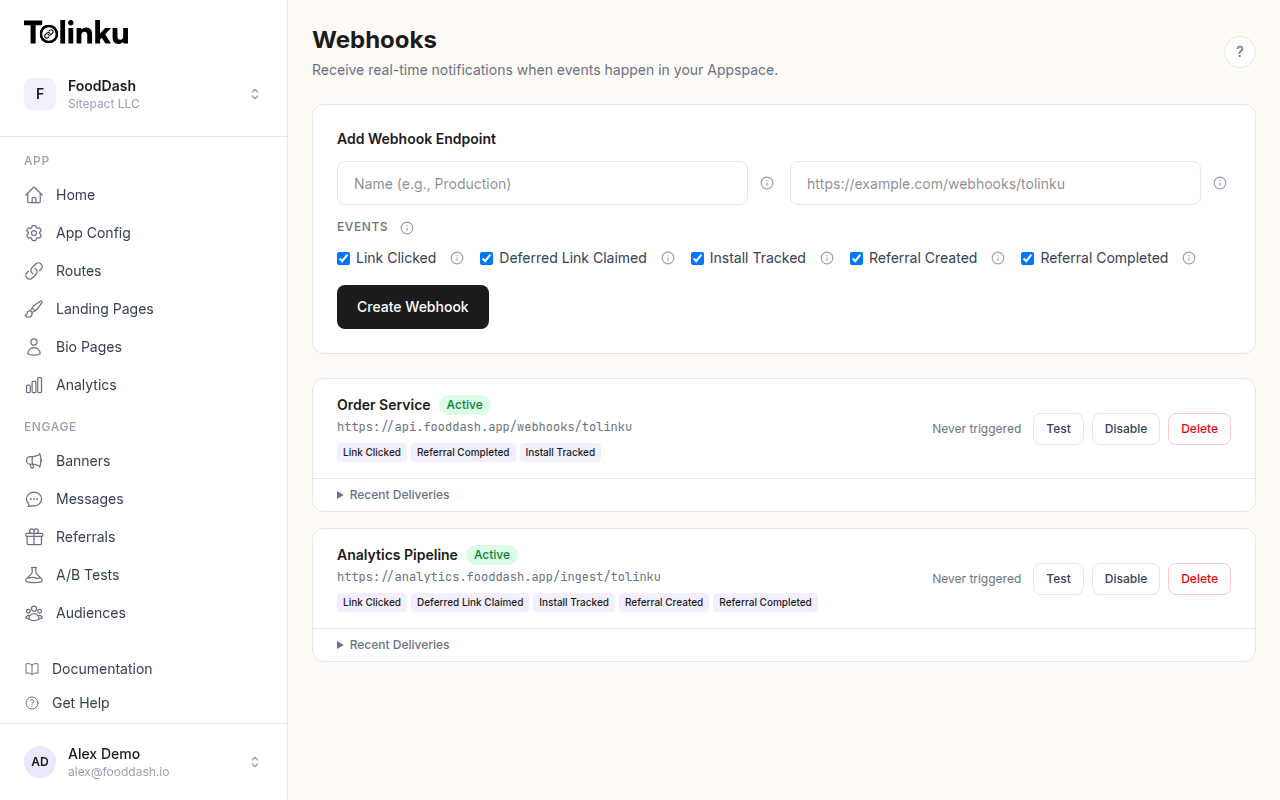 The webhooks page with create form, webhook list, and delivery log.
Envelope Structure
Every webhook delivery uses the same envelope format, regardless of event type:
{
  "event": "link.clicked",
  "timestamp": "2026-05-22T14:30:00.000Z",
  "data": { ... }
}
| Field | Type | Description |
|---|---|---|
event |
string | The event type identifier |
timestamp |
string (ISO 8601) | When the event occurred, in UTC |
data |
object | Event-specific payload data |
The event field is also sent in the X-Webhook-Event HTTP header, so you can route events before parsing the body.
TypeScript Types
interface WebhookEnvelope {
  event: WebhookEventType;
  timestamp: string; // ISO 8601
  data: Record<string, unknown>;
}

type WebhookEventType =
  | 'link.clicked'
  | 'deferred_link.claimed'
  | 'install.tracked'
  | 'referral.created'
  | 'referral.completed'
  | 'test';
HTTP Headers
Every webhook delivery includes these headers:
| Header | Example | Description |
|---|---|---|
Content-Type |
application/json |
Always JSON |
X-Webhook-Signature |
a1b2c3d4e5... |
HMAC-SHA256 hex digest of the request body |
X-Webhook-Event |
link.clicked |
The event type (matches event field in body) |
User-Agent |
Tolinku/1.0 |
Identifies the request as from Tolinku |
The signature is computed as:
import crypto from 'crypto';

const signature = crypto
  .createHmac('sha256', webhookSecret) // Your whsec_... secret
  .update(rawRequestBody)              // The raw bytes, not parsed JSON
  .digest('hex');
See the webhook security guide for full verification code.
Event: link.clicked
Fires when a user taps or clicks a deep link managed by Tolinku.
{
  "event": "link.clicked",
  "timestamp": "2026-05-22T14:30:00.000Z",
  "data": {
    "prefix": "go",
    "token": "summer-sale",
    "hostname": "links.example.com",
    "ip": "203.0.113.42",
    "platform": "ios",
    "device_type": "mobile",
    "campaign": "instagram-story-may"
  }
}
Field Reference
| Field | Type | Description |
|---|---|---|
data.prefix |
string | The route prefix (the first path segment of the deep link URL) |
data.token |
string | The route token (the second path segment, identifying the specific link) |
data.hostname |
string | The hostname the link was served from |
data.ip |
string | The IP address of the user who clicked |
data.platform |
string | Detected platform: ios, android, or web |
data.device_type |
string | Device classification: mobile, tablet, or desktop |
data.campaign |
string or null | Campaign identifier if one was configured on the route |
TypeScript
interface LinkClickedData {
  prefix: string;
  token: string;
  hostname: string;
  ip: string;
  platform: 'ios' | 'android' | 'web';
  device_type: 'mobile' | 'tablet' | 'desktop';
  campaign: string | null;
}
Notes
- This is the highest-volume event. A popular link can generate thousands of clicks per day.
- The
campaignfield is only present if a campaign was set on the route in your Appspace. It will benullotherwise. - The
prefixandtokentogether reconstruct the link path:https://{hostname}/{prefix}/{token}.
Event: deferred_link.claimed
Fires when a deferred deep link is resolved after app installation. This means a user who clicked a link before having the app installed has now installed and opened the app, and the original click context has been matched to this install.
{
  "event": "deferred_link.claimed",
  "timestamp": "2026-05-22T14:35:00.000Z",
  "data": {
    "prefix": "go",
    "token": "summer-sale",
    "platform": "ios"
  }
}
Field Reference
| Field | Type | Description |
|---|---|---|
data.prefix |
string | The route prefix from the original click |
data.token |
string | The route token from the original click |
data.platform |
string | The platform the app was installed on |
TypeScript
interface DeferredLinkClaimedData {
  prefix: string;
  token: string;
  platform: 'ios' | 'android';
}
Notes
- This event is the "proof" that a pre-install click resulted in an actual app open.
- The data is sparser than
link.clickedbecause it represents the resolution, not the original click. Match it to the original click usingprefixandtoken. - Deferred link resolution uses the attribution matching logic described in the deferred deep linking guide.
Event: install.tracked
Fires when an app install is attributed to a deep link.
{
  "event": "install.tracked",
  "timestamp": "2026-05-22T14:35:01.000Z",
  "data": {
    "prefix": "go",
    "token": "summer-sale",
    "platform": "ios",
    "campaign": "instagram-story-may"
  }
}
Field Reference
| Field | Type | Description |
|---|---|---|
data.prefix |
string | The route prefix that drove the install |
data.token |
string | The route token that drove the install |
data.platform |
string | The platform the app was installed on |
data.campaign |
string or null | Campaign identifier from the original link |
TypeScript
interface InstallTrackedData {
  prefix: string;
  token: string;
  platform: 'ios' | 'android';
  campaign: string | null;
}
Notes
- This event often fires within seconds of
deferred_link.claimed, but they are separate events with distinct purposes.deferred_link.claimedmeans the link was resolved;install.trackedmeans the install was attributed. - Use this event for user acquisition metrics: installs per campaign, installs per platform, cost per install (when combined with ad spend data).
Event: referral.created
Fires when a new referral is registered. The referred user clicked a referral link and initiated the signup process.
{
  "event": "referral.created",
  "timestamp": "2026-05-22T15:00:00.000Z",
  "data": {
    "referrer_token": "user-abc123",
    "platform": "android"
  }
}
Field Reference
| Field | Type | Description |
|---|---|---|
data.referrer_token |
string | The referral token identifying the referrer |
data.platform |
string | The platform the referred user is on |
TypeScript
interface ReferralCreatedData {
  referrer_token: string;
  platform: 'ios' | 'android' | 'web';
}
Notes
- The
referrer_tokenmaps to the user who created the referral link. Use it to look up the referrer in your database. - This event fires on referral creation, not on completion. The referred user may not yet have finished the required action (e.g., first purchase).
Event: referral.completed
Fires when a referred user completes the target action defined in your referral program.
{
  "event": "referral.completed",
  "timestamp": "2026-05-22T15:30:00.000Z",
  "data": {
    "referrer_token": "user-abc123",
    "platform": "android"
  }
}
Field Reference
| Field | Type | Description |
|---|---|---|
data.referrer_token |
string | The referral token identifying the referrer |
data.platform |
string | The platform the referred user converted on |
TypeScript
interface ReferralCompletedData {
  referrer_token: string;
  platform: 'ios' | 'android' | 'web';
}
Notes
- This is the bottom of the referral funnel. It means both parties have done their part: the referrer shared the link, and the referred user completed the target action.
- Use this event to trigger reward distribution, update CRM records, or send confirmation emails.
Event: test
Fires when you click the Test button in the Tolinku dashboard. Used to verify your endpoint is reachable and your signature verification works.
{
  "event": "test",
  "timestamp": "2026-05-22T10:00:00.000Z",
  "data": {
    "message": "This is a test webhook from Tolinku.",
    "webhook_id": "wh_abc123",
    "appspace_id": "as_xyz789"
  }
}
TypeScript
interface TestData {
  message: string;
  webhook_id: string;
  appspace_id: string;
}
Parsing Best Practices
1. Parse After Verifying
Always verify the X-Webhook-Signature against the raw body before parsing JSON. If you parse first, you might compute the signature on a re-serialized string that differs from the original.
// Correct: verify raw, then parse
app.use('/webhooks', express.raw({ type: 'application/json' }));

app.post('/webhooks/tolinku', (req, res) => {
  if (!verifySignature(req.body, req.headers['x-webhook-signature'])) {
    return res.status(401).send('Invalid signature');
  }
  const event = JSON.parse(req.body.toString());
  // Process event...
});
2. Handle Unknown Events Gracefully
New event types may be added in the future. Don't crash on unrecognized events:
function handleEvent(event: WebhookEnvelope) {
  switch (event.event) {
    case 'link.clicked':
      handleClick(event.data as LinkClickedData);
      break;
    case 'install.tracked':
      handleInstall(event.data as InstallTrackedData);
      break;
    // ... other known events
    default:
      console.log(`Unknown event type: ${event.event}`);
      // Log it but don't fail
  }
}
3. Handle Missing Fields
Not all fields are guaranteed to be present on every event. The campaign field, for example, is only populated if a campaign was configured on the route. Always use optional chaining or null checks:
const campaign = event.data.campaign || 'unknown';
const platform = event.data.platform ?? 'unknown';
4. Use the Header for Routing
If you need to route events before parsing the body (e.g., to different queue topics), use the X-Webhook-Event header:
app.post('/webhooks/tolinku', (req, res) => {
  const eventType = req.headers['x-webhook-event'] as string;

  // Route to different queues based on event type
  switch (eventType) {
    case 'link.clicked':
      clickQueue.push(req.body);
      break;
    case 'install.tracked':
      installQueue.push(req.body);
      break;
    default:
      defaultQueue.push(req.body);
  }

  res.status(200).send('OK');
});
Delivery Characteristics
- Timeout: Tolinku waits 10 seconds for a response. If your endpoint doesn't respond within 10 seconds, the delivery is marked as failed and retried.
- Retries: 3 retries at 1 minute, 5 minutes, and 30 minutes after a failure.
- No redirects: Tolinku does not follow HTTP redirects. Your endpoint must respond directly.
- HTTPS only: Production webhooks are delivered over HTTPS.
- Content-Type: Always
application/json. - Method: Always POST.
For debugging delivery issues, see the webhook debugging guide. For testing your payload parsing before going to production, see the webhook testing tools guide.
Get deep linking tips in your inbox
One email per week. No spam.