A 3% improvement in click-through rate sounds small. But when you're sending 100,000 users through a deep link every month, that's 3,000 additional users reaching their destination. If even 10% of those convert, you've added 300 paying customers from a single test. The math compounds quickly.
Most teams spend weeks picking the right ad creative, the right copy, the right audience segment. Then they point every ad at the same deep link destination and the same landing page without a second thought. The link itself, the place where intent turns into action, rarely gets tested at all.
That's a missed opportunity. A/B testing deep links and landing pages lets you optimize the most critical step in your funnel: what happens after someone clicks.
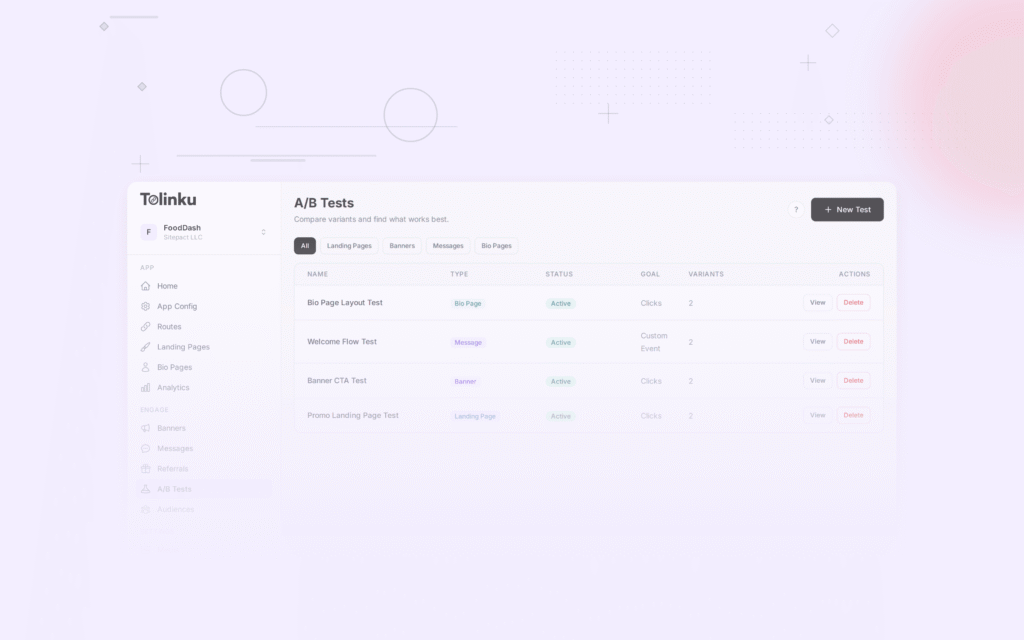
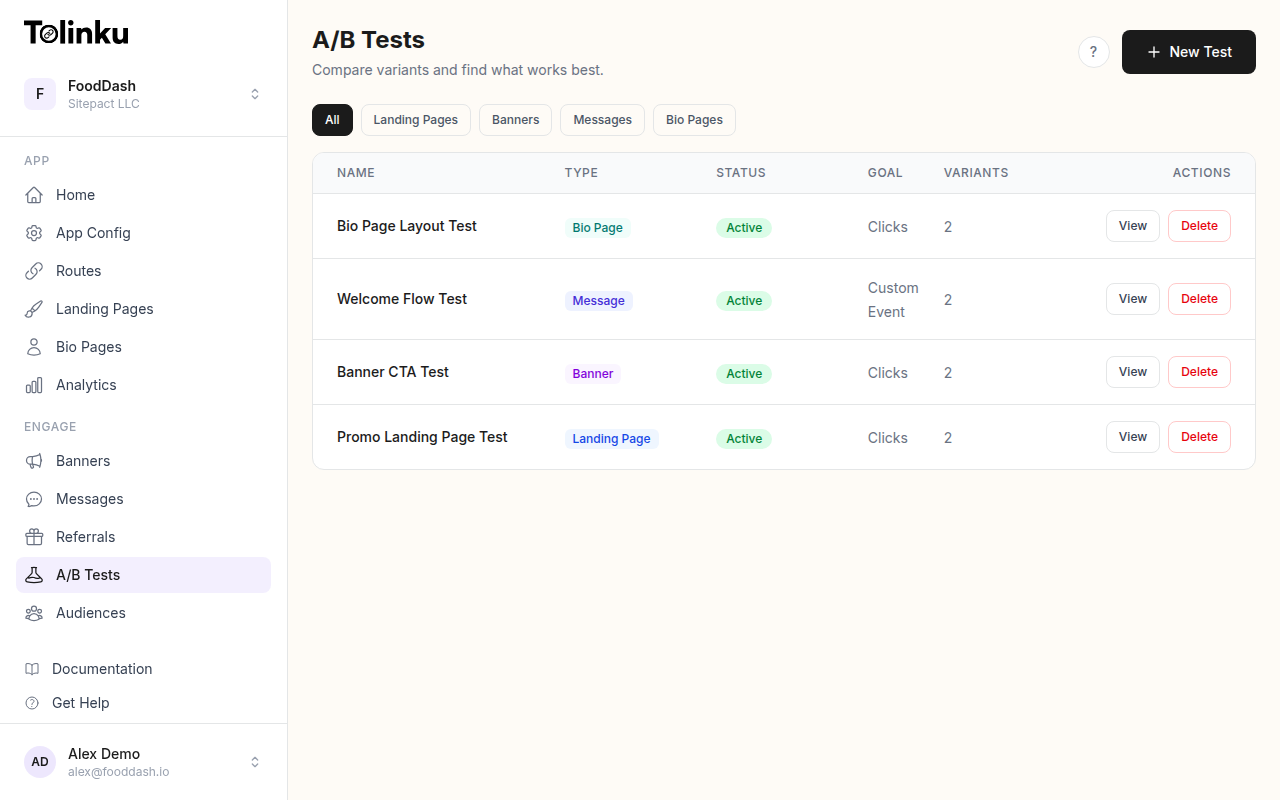 The A/B tests list page showing test names, status, types, and variant counts.
Why A/B Test Deep Links?
Deep links carry context. They know where the user should go, what screen to show, and what content to display. But "should" is just a hypothesis until you've tested it.
Consider a food delivery app running a promotional campaign. The deep link could open any of these screens:
- The home screen with a promotional banner
- A specific restaurant's page
- The user's past orders with a "reorder" button
- A curated collection of discounted restaurants
Each of these is a reasonable choice. Without testing, you're guessing which one drives the most orders. With A/B testing, you know.
The same logic applies to landing pages. Users who don't have your app installed hit a fallback page. That page needs to convince them to install the app, visit a website, or take some other action. The design, copy, and layout of that page directly affect whether they follow through or bounce.
Same campaign, different destinations. You might find that sending users directly to a product detail page converts 40% better than sending them to the home screen. Or that a landing page with a single CTA outperforms one with three options. These are the kinds of insights that only come from controlled experiments.
Same link, different experiences. Deep link A/B testing also lets you test the experience itself. You can test whether users prefer a deep link that opens the app versus one that opens a mobile web page. You can test whether including a preview card on the fallback page increases install rates. Every touchpoint is testable.
What You Can Test
The surface area for deep link and landing page testing is larger than most teams realize. Here are the most impactful variables:
Deep Link Destinations
- Screen targeting: Home screen vs. product page vs. category page vs. onboarding flow
- Content depth: High-level browse page vs. specific item detail
- Personalization: Generic destination vs. personalized recommendation based on referral source
- App vs. web: Opening the native app vs. mobile web experience
Landing Page Elements
- Hero section: Image vs. video, different headlines, different value propositions
- CTA text and placement: "Download the App" vs. "Continue in Browser" vs. "Get Started Free"
- Page length: Single-screen focused page vs. longer page with social proof and features
- App store badges: Prominent vs. subtle, with or without star ratings
- Form fields: Email-only vs. email + name vs. full registration form
Fallback Behavior
- App store redirect: Sending non-app users directly to the App Store vs. showing an interstitial page first
- Web fallback: Mobile web version of the content vs. dedicated landing page
- Deferred deep linking: Whether preserving context through the install flow increases activation rates
Messaging and Copy
- URL preview text: Different Open Graph titles and descriptions for social sharing
- Push notification copy: When the deep link triggers a notification, test the message
- Email subject lines: Different CTAs paired with the same deep link destination
How Deep Link A/B Testing Works
At its core, deep link A/B testing splits incoming traffic across two or more variants. Each variant can have a different destination, different parameters, or a different landing page. The system tracks which variant each user sees and measures the outcome.
Traffic Splitting
Traffic splitting assigns each click to a variant based on a distribution you define. A simple 50/50 split gives equal traffic to two variants. You can also run 70/30 or 80/10/10 splits if you want to limit exposure to untested variants.
The split happens at the link resolution layer. When a user clicks the deep link, the routing system evaluates which variant to serve before performing the redirect. This means the split is invisible to the user; they just see the destination they were assigned.
Consistent Bucketing
One critical detail: users must see the same variant every time they click the link. If a user clicks your link three times and sees variant A twice and variant B once, your data is contaminated. You can't attribute their behavior to either variant.
Consistent bucketing solves this. The system hashes a user identifier (device ID, cookie, or IP + user agent fingerprint) and uses the hash to assign a bucket. The same identifier always maps to the same bucket:
function assignVariant(userId, variants) {
  // Simple hash-based bucketing
  const hash = createHash('md5')
    .update(userId)
    .digest('hex');

  // Convert first 8 hex chars to a number between 0 and 1
  const bucket = parseInt(hash.substring(0, 8), 16) / 0xFFFFFFFF;

  let cumulative = 0;
  for (const variant of variants) {
    cumulative += variant.weight;
    if (bucket < cumulative) {
      return variant;
    }
  }

  return variants[variants.length - 1];
}

// Usage
const variants = [
  { name: 'control', weight: 0.5, destination: '/home' },
  { name: 'variant_a', weight: 0.5, destination: '/product/featured' }
];

const assigned = assignVariant('user-abc-123', variants);
// Always returns the same variant for this user
Event Tracking
Each variant assignment gets logged as an event with the test ID, variant name, and timestamp. Downstream events (app opens, purchases, sign-ups) are attributed back to the variant through the same user identifier. This creates a clear path from "user clicked variant A" to "user completed purchase."
Statistical Significance
Running an A/B test without understanding statistical significance is like checking the score at halftime and calling the game. You might be right. You might also be making a decision based on noise.
Sample Size
Before starting a test, calculate how many clicks you need per variant to detect a meaningful difference. The required sample size depends on three factors:
- Baseline conversion rate: Your current conversion rate (the control)
- Minimum detectable effect (MDE): The smallest improvement you care about
- Statistical power: The probability of detecting a real effect (typically 80%)
Here's a rough formula:
import math

def required_sample_size(baseline_rate, mde, power=0.80, significance=0.05):
    """
    Calculate required sample size per variant.

    baseline_rate: current conversion rate (e.g., 0.05 for 5%)
    mde: minimum detectable effect as relative change (e.g., 0.20 for 20% improvement)
    """
    # Z-scores for standard significance and power levels
    z_alpha = 1.96  # 95% confidence
    z_beta = 0.84   # 80% power

    p1 = baseline_rate
    p2 = baseline_rate * (1 + mde)
    p_avg = (p1 + p2) / 2

    numerator = (z_alpha * math.sqrt(2 * p_avg * (1 - p_avg)) +
                 z_beta * math.sqrt(p1 * (1 - p1) + p2 * (1 - p2))) ** 2
    denominator = (p2 - p1) ** 2

    return math.ceil(numerator / denominator)

# Example: 5% baseline, want to detect 20% relative improvement
n = required_sample_size(0.05, 0.20)
print(f"Need {n} clicks per variant")
# Output: Need approximately 3,800 clicks per variant
For a deep link with a 5% conversion rate, detecting a 20% relative improvement (from 5% to 6%) requires roughly 3,800 clicks per variant, or about 7,600 total clicks for a two-variant test. For help with these calculations, see A/B Testing Sample Size: How Much Traffic You Actually Need.
Confidence Intervals
Don't just look at whether variant A beat variant B. Look at the confidence interval around the difference. A result of "variant A converts 12% better (95% CI: 2% to 22%)" tells you the improvement is real but could be anywhere from modest to substantial. A result of "variant A converts 12% better (95% CI: -5% to 29%)" tells you the result might be noise.
When to Call a Test
Set your criteria before the test starts:
- Minimum sample size: Don't peek until you've hit your required sample size per variant
- Minimum runtime: Run the test for at least one full week to account for day-of-week effects
- Significance threshold: Typically p < 0.05, meaning less than a 5% chance the result is due to random variation
- Practical significance: Even if statistically significant, is the difference large enough to matter?
If you check results daily and stop the test the moment one variant looks better, you'll inflate your false positive rate. Pre-commit to a duration and sample size, then evaluate.
Setting Up Your First Test
Here's a practical walkthrough for setting up a deep link A/B test. The goal: determine whether sending users from an email campaign to a product detail page converts better than sending them to the category browse page.
Step 1: Define Your Hypothesis
"Sending users directly to the product detail page will increase purchase conversion rate by at least 15% compared to the category page."
Be specific. "We want to see which link works better" is not a hypothesis. A clear hypothesis tells you what to measure and when to declare a winner.
Step 2: Configure the Test
Set up two variants with equal traffic distribution:
{
  "test_id": "email-campaign-destination-q1",
  "status": "active",
  "traffic_split": {
    "control": {
      "weight": 50,
      "deep_link": "myapp://category/winter-sale",
      "fallback_url": "https://example.com/category/winter-sale"
    },
    "variant_a": {
      "weight": 50,
      "deep_link": "myapp://product/top-seller-jacket",
      "fallback_url": "https://example.com/product/top-seller-jacket"
    }
  },
  "primary_metric": "purchase_conversion",
  "secondary_metrics": ["add_to_cart", "time_in_app", "revenue_per_click"],
  "minimum_sample_size": 4000,
  "max_duration_days": 14
}
Step 3: Implement Variant Tracking
Your deep link handler needs to pass the variant information through to your analytics:
// When the deep link resolves, track the assignment
function handleDeepLinkClick(request) {
  const userId = resolveUserId(request);
  const test = getActiveTest('email-campaign-destination-q1');
  const variant = assignVariant(userId, test.variants);

  // Log the assignment event
  trackEvent({
    event: 'ab_test_assignment',
    test_id: test.test_id,
    variant: variant.name,
    user_id: userId,
    timestamp: Date.now()
  });

  // Redirect to the assigned destination
  return redirect(variant.deep_link, variant.fallback_url);
}
Step 4: Track Downstream Conversions
On the app side, attribute conversion events to the test variant:
// In your app's purchase completion handler
func trackPurchase(orderId: String, amount: Double) {
    // Get the user's active test assignments
    let assignments = ABTestManager.shared.getAssignments()

    for assignment in assignments {
        Analytics.track("purchase", properties: [
            "order_id": orderId,
            "amount": amount,
            "ab_test_id": assignment.testId,
            "ab_variant": assignment.variantName
        ])
    }
}
Step 5: Wait, Then Analyze
Resist the urge to check results hourly. Set a calendar reminder for when you'll have enough data, then analyze everything at once.
Landing Page A/B Testing
Landing pages are the safety net for deep links. When a user doesn't have your app installed, the landing page is your one shot at converting them. Testing these pages is just as important as testing the deep link destinations.
What Makes Landing Pages Different
Deep link landing pages have a unique constraint: the user was trying to get somewhere specific, and you intercepted them. They have intent but also friction. Your landing page needs to either fulfill that intent in the browser or convince them the app is worth installing.
This creates a different testing dynamic than typical marketing landing pages. You're not testing interest; you're testing patience. How much can you ask of someone before they give up?
Design Variations Worth Testing
Layout: A single-column layout focused entirely on the CTA vs. a two-column layout with features and social proof. Single-column often wins for mobile (which is most of your traffic), but the extra context can help for first-time visitors.
Preview content: Showing a preview of what the user will see in the app (a product image, a message snippet, a restaurant menu) vs. a generic "Download our app" page. Preview content usually wins because it maintains the user's original intent.
CTA hierarchy: One primary CTA ("Open in App") vs. primary + secondary ("Open in App" / "Continue in Browser"). The secondary option can actually increase primary CTA clicks because users feel less trapped.
Social proof: App store ratings, user count, press logos. Adding "4.8 stars, 50K+ reviews" next to the download button is a low-effort test with often surprising results.
Here is an example of how you might structure a landing page A/B test using a configuration object:
const landingPageTest = {
  testId: 'landing-page-cta-test',
  variants: [
    {
      name: 'control',
      weight: 50,
      template: 'landing-v1',
      config: {
        headline: 'Get the App to Continue',
        ctaPrimary: 'Download Free',
        ctaSecondary: null,
        showAppRating: false,
        showPreview: false
      }
    },
    {
      name: 'variant_a',
      weight: 50,
      template: 'landing-v2',
      config: {
        headline: 'Your Item Is Waiting',
        ctaPrimary: 'Open in App',
        ctaSecondary: 'View in Browser',
        showAppRating: true,
        showPreview: true
      }
    }
  ]
};
For more on building and customizing these pages, see the landing pages documentation. For a focused look at testing page variations, see Landing Page A/B Testing for Deep Links.
Measuring Results
The metric you optimize for shapes the outcome. Choose carefully.
Primary Metrics
Conversion rate is the most common primary metric: what percentage of users who clicked the deep link completed the desired action? This is straightforward but can be misleading. A variant might have a higher conversion rate but attract lower-value conversions.
Revenue per click accounts for both conversion rate and order value. If variant A converts at 5% with a $20 average order and variant B converts at 4% with a $30 average order, variant B generates more revenue per click ($1.20 vs. $1.00) despite the lower conversion rate.
Retention by variant measures longer-term impact. A deep link that sends users to an aggressive promotional screen might get more first-day purchases but fewer return visits. Track 7-day and 30-day retention by variant to catch this.
Secondary Metrics
Track these alongside your primary metric to understand why a variant wins or loses:
- Bounce rate: Did users leave the landing page without taking action?
- Time to action: How long between click and conversion?
- App install rate: For users who didn't have the app, what percentage installed?
- Screen depth: How many screens did users visit after arriving at the deep link destination?
- Error rate: Did one variant produce more broken experiences?
Check the analytics documentation for details on tracking these events and building reports.
Reading Results
When your test reaches its target sample size, calculate the results for each variant:
from scipy import stats

def analyze_ab_test(control_clicks, control_conversions,
                     variant_clicks, variant_conversions):
    control_rate = control_conversions / control_clicks
    variant_rate = variant_conversions / variant_clicks

    relative_lift = (variant_rate - control_rate) / control_rate

    # Two-proportion z-test
    pooled_rate = (control_conversions + variant_conversions) / \
                  (control_clicks + variant_clicks)
    se = (pooled_rate * (1 - pooled_rate) *
          (1/control_clicks + 1/variant_clicks)) ** 0.5
    z_score = (variant_rate - control_rate) / se
    p_value = 2 * (1 - stats.norm.cdf(abs(z_score)))

    return {
        'control_rate': f"{control_rate:.4f}",
        'variant_rate': f"{variant_rate:.4f}",
        'relative_lift': f"{relative_lift:.2%}",
        'p_value': f"{p_value:.4f}",
        'significant': p_value < 0.05
    }

# Example results
result = analyze_ab_test(
    control_clicks=4200, control_conversions=210,
    variant_clicks=4150, variant_conversions=249
)
print(result)
# {'control_rate': '0.0500', 'variant_rate': '0.0600',
#  'relative_lift': '20.00%', 'p_value': '0.0412', 'significant': True}
A 20% lift with p < 0.05. In this example, the variant wins. Ship it.
For a deeper look at interpreting test data, Tolinku's A/B test results dashboard calculates significance and confidence intervals automatically.
Advanced Testing Strategies
Once you're comfortable with basic A/B tests, these techniques can unlock further gains.
Multi-Variate Testing
Instead of testing one variable at a time, test multiple variables simultaneously. For example, test two headlines crossed with two CTA button colors, creating four variants. This requires more traffic but reveals interaction effects (maybe the blue button works best with headline A but the green button works best with headline B).
Multi-variate tests are best reserved for landing pages with high traffic. For deep link destinations, the number of meaningful combinations is usually small enough for sequential A/B tests.
Sequential Testing
Run tests in sequence, each building on the previous winner. Test the destination first, then the landing page, then the CTA copy. Each test narrows the funnel further.
The risk with sequential testing is that interactions between variables can produce suboptimal results. The winning destination from test 1 might not be the best destination when paired with the winning CTA from test 3. Periodic retesting helps catch this.
Segment-Based Testing
Not all users respond the same way. New users might prefer a guided onboarding deep link, while returning users might prefer going straight to content. Run separate tests for distinct user segments:
- New vs. returning users
- iOS vs. Android
- Organic vs. paid traffic sources
- Geographic regions
- Users who have the app installed vs. those who don't
Segment-based testing often reveals that there is no single "best" variant. The optimal experience depends on who the user is and how they arrived.
Personalization Through Testing
A/B testing is the foundation for personalization. Once you discover that segment X prefers variant A and segment Y prefers variant B, you can hard-code those preferences as permanent rules. Your A/B testing framework evolves into a personalization engine, and each test result becomes a rule that makes the next user's experience slightly better.
A/B Testing with Tolinku
Tolinku has built-in support for A/B testing deep links and landing pages. Instead of building your own traffic splitting and bucketing infrastructure, you configure tests through the dashboard or API.
To create an A/B test, define your variants, set the traffic allocation, and choose your success metrics. Tolinku handles the rest: consistent user bucketing, event tracking, and statistical analysis.
For landing page A/B testing, you can create multiple landing page designs within the same route. Tolinku splits traffic between designs and reports on conversion rate, bounce rate, and downstream metrics.
The A/B testing documentation covers the full setup process, including how to configure tests for different link types, set up conversion tracking, and interpret results.
Common Mistakes
Even experienced teams fall into these traps. Knowing them in advance saves you weeks of wasted testing. For a deeper dive, see A/B Testing Common Mistakes (and How to Avoid Them).
Stopping Tests Too Early
This is the most common mistake. You launch a test on Monday, check results on Tuesday, see variant A leading by 30%, and declare a winner. But your sample size is 200 clicks per variant, and you needed 4,000. The result is noise.
Pre-register your test parameters (sample size, duration, significance threshold) and stick to them. If your boss asks for results before the test is done, explain that early results are unreliable. Show them the sample size calculation. The math doesn't care about deadlines.
Testing Too Many Things at Once
If your variant changes the destination screen, the landing page design, the CTA copy, and the fallback behavior all at once, and it wins, you have no idea which change drove the improvement. You also can't apply the learnings to other links because you don't know what worked.
Change one variable at a time. If you must test multiple changes, use a proper multi-variate design with enough traffic to detect individual effects.
Ignoring Segments
An A/B test might show no overall winner, but when you break results down by platform, you discover that variant A crushes it on iOS while variant B wins on Android. Reporting only the aggregate hides these insights.
Always segment your results by platform, traffic source, and user type. The aggregate result is the least interesting number in the report.
Not Tracking the Right Metric
Optimizing for clicks when you should be optimizing for purchases. Optimizing for installs when you should be optimizing for 7-day retention. The most proximate metric is rarely the most important one. Think about what actually matters to your business and track that, even if it takes longer to accumulate data.
Forgetting About the Loser
When variant B loses, don't just discard it. Ask why. Was the losing variant a dramatically different approach, or a subtle tweak? Did it lose across all segments, or just some? The loser carries as much information as the winner, sometimes more.
Conclusion
A/B testing deep links and landing pages is one of the highest-ROI optimization activities available to mobile teams. The traffic is already flowing through these links. The infrastructure to test them is straightforward. And the potential gains, measured in conversion rate, revenue, and user retention, compound over every campaign you run.
Start simple. Pick your highest-traffic deep link, form a hypothesis about a better destination, set up a two-variant test, and wait for the data to speak. Once you see your first statistically significant result (and the revenue impact that follows), you won't want to launch another campaign without testing the link first.
The tools exist. The math is well understood. The only thing left is to run the test. If you want to skip the infrastructure work and start testing immediately, Tolinku's A/B testing features handle the traffic splitting, bucketing, and analysis out of the box, so you can focus on the hypotheses that matter.
Get deep linking tips in your inbox
One email per week. No spam.